
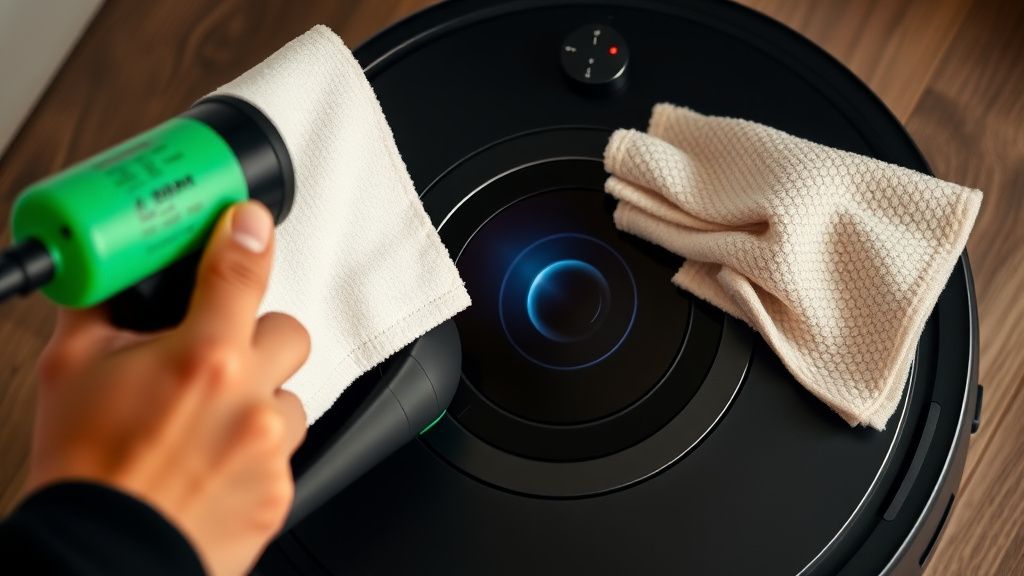
If your Eufy X10 Pro Omni is throwing a "Lidar Blocked" error, stop looking for a software reset. Nine times out of ten, it’s a physical obstruction, a dust-caked optical window, or a dying drive motor. Start by checking the turret for debris, clean the laser emitter window with a microfiber cloth, and inspect the bumper for mechanical stickiness.
The Anatomy of Failure: Why Lidar Sensors Actually Fail in Modern Robot Vacuums
When you stare at the top of an Eufy X10 Pro Omni, you aren't just looking at a plastic bump; you’re looking at a rotating LiDAR (Light Detection and Ranging) unit. It’s a classic spinning-mirror-and-laser-diode assembly. The "Lidar Blocked" error is the system’s way of saying it has lost its "eyesight."
In the field, I see these units daily. The most common culprit isn't a complex firmware bug—it’s human hair, pet dander, or that one mysterious piece of carpet fiber that somehow wedged itself into the gap between the rotating turret and the static casing. When that gap is compromised, the friction threshold increases. The internal controller detects that the motor is drawing more current than it should to keep the sensor spinning at its rated RPM. It hits a fault threshold, shuts down the laser, and pushes that notification to your phone.

Operational Reality: The Friction Between Precision and Domestic Chaos
Home environments are brutal. They aren't labs. They are environments filled with static electricity, micro-particulates, and human negligence. The Eufy X10 Pro Omni is a sophisticated piece of hardware, but it is built to operate in a home environment that is inherently hostile to delicate laser components.
When a user complains about constant "Lidar Blocked" errors, they are usually describing a cascading failure. It starts with a buildup of static charge on the laser lens, attracting dust, which can also lead to general robot vacuum sensor issues. This dust scatters the laser beam, causing the sensor to receive "ghost" readings. The onboard SLAM (Simultaneous Localization and Mapping) algorithm gets confused because it perceives obstacles where there are none, a common issue found even in advanced units like the Roomba j9+ with PrecisionVision obstacle errors. The robot slows down, spins in circles, and eventually decides it’s blocked.
- The Microfiber Myth: Most users try to clean these with paper towels. Don't. Paper towels are wood pulp; they scratch polycarbonate lenses. Over time, those micro-scratches destroy the signal-to-noise ratio of the sensor.
- The Canned Air Trap: Never blow compressed air directly into the sensor gap. You’ll just push the dust deeper into the internal bearings of the laser turret, where it will act as an abrasive, eventually grinding the motor down to a premature death.
Real Field Reports: The "Ghost" Blockage Syndrome
In the discord channels and subreddits for robotics enthusiasts, you’ll often see threads titled "Eufy X10 Pro keeps erroring out in the same corner of the room."
This is the "Edge Case" that drives support technicians crazy. If your robot always reports a Lidar error in one specific spot, it’s usually not a hardware fault. It’s a reflective surface issue. Floor-to-ceiling mirrors, glass sliding doors at floor level, or high-gloss black baseboards can cause a laser reflection feedback loop. The sensor receives a "blocked" reading because the light returns to the sensor faster or more intensely than the logic board expects. The system flags this as a hardware blockage because it literally cannot interpret the sensor data.
"The sensor didn't fail, the logic board just panicked because it hit a visual contradiction. It’s essentially a panic attack for a CPU." — Anonymous technician from a major appliance repair hub.
Troubleshooting the Drive Mechanism: When the Turret Stops Spinning
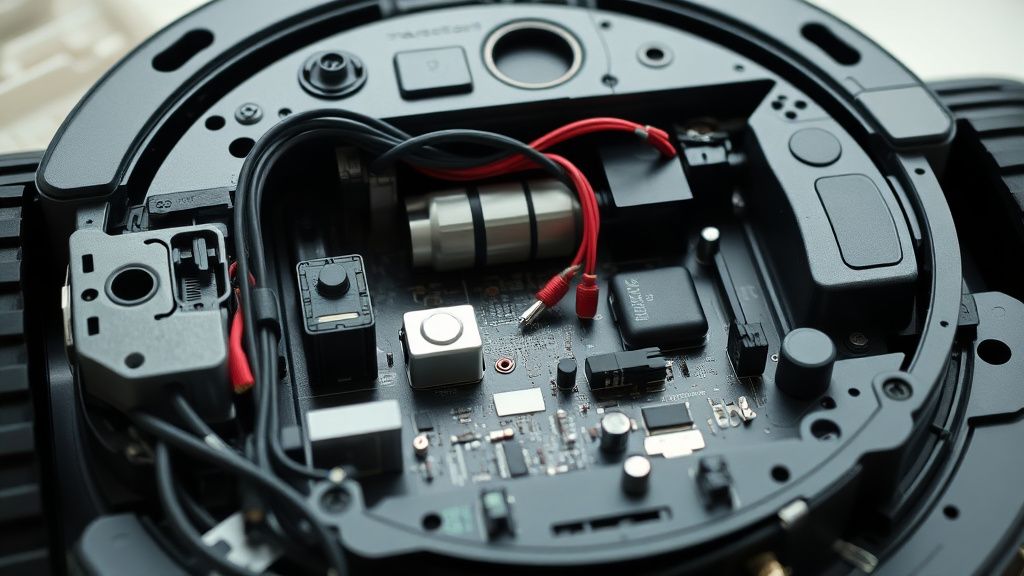
If the laser is clean and the room isn't full of mirrors, we move to mechanical degradation. The LiDAR unit in the X10 Pro Omni uses a tiny DC motor and a rubber drive belt or direct gear drive. Over 12 to 24 months, these belts can stretch, or the grease in the internal ball bearings can turn into a sticky, gummy mess.
- The Spin Test: When the vacuum is off, you should be able to gently rotate the LiDAR turret with your finger. It should spin with minimal, uniform resistance. If you feel "notches" or hear grinding, the bearing is shot.
- The Reset Loop: Some users report that after a "Lidar Blocked" error, the unit continues to spin, but the laser doesn't fire. This is a common post-update firmware glitch where the initialization handshake between the LIDAR controller and the main SoC fails.
- Workaround Culture: If you find a software-based "Lidar Blocked" error, a "Hard Reset" (holding the power/home buttons for 30 seconds) usually flushes the volatile memory. If that fails, checking the
GitHubrepositories for community-led firmware patches might be a last resort, though I advise against this if you still have an active warranty.
Counter-Criticism: Why the Industry Pushes Proprietary Complexity
The tech press loves to praise "Seamless Integration" and "AI Obstacle Avoidance." But the operational reality is that the more sensors you pack into a chassis, the more failure points you introduce. The Eufy X10 Pro Omni is a miracle of engineering, but it is an "Appliance of Compromise."
Critics often argue that Eufy’s implementation of LiDAR, while effective for map generation, is overly sensitive to environmental degradation compared to purely vision-based (V-SLAM) systems. V-SLAM systems don't have moving parts. They don't have spinning turrets. However, they are also prone to failing in low light.
- The Reality: The consumer wants the best of both worlds. We want the precision of LiDAR in the dark and the speed of AI vision. The result? We end up with a machine that is twice as likely to need a repair. When the X10 Pro hits a wall—literally—that LiDAR unit takes the kinetic hit. Even if the bumper moves, the shock travels through the chassis.
The Hidden Social and Economic Cost of Repair
We live in an era of "throwaway robotics." Most support threads conclude with the dreaded sentence: "Contact customer support for a unit replacement." This isn't because the fix is impossible; it’s because the cost of labor to open a sealed, IP-rated device exceeds the replacement cost.
Users have created a "Workaround Culture." They use 3D-printed riser rings to keep cables away from the turret. They apply conductive tape to prevent static buildup on the sensor lens. They are essentially doing the engineering that the factory skipped to shave three dollars off the bill of materials.
Maintaining Your Investment: A Technician’s Protocol
If you want to avoid the "Lidar Blocked" nightmare, you need to change your maintenance habits:
- Bi-Weekly Compressed Air (Low Pressure): Do not skip this. Use a manual bulb blower, not a high-pressure compressor.
- Anti-Static Wipes: Once a month, wipe the top housing with an anti-static cloth. This prevents the "dust magnet" effect that plagues the laser lens.
- The "Home" Position: Keep the robot's base station away from direct sunlight. The UV exposure degrades the plastic over time and can cause the laser emitter to drift in its alignment.
- Firmware Discipline: Don't be the first to update. Let the community be the beta testers. If you see a thread on a forum like
r/RobotVacuumswith 50 people saying, "Firmware X.XX bricked my LIDAR," stay away from that update.
FAQ
Why does my vacuum say "Lidar Blocked" even though there is nothing on top?
Can I replace the LiDAR motor myself?
Does the carpet type affect my LiDAR sensor?
Is the "Lidar Blocked" error a sign of a dying battery?
How do I know if I need a professional repair vs. a DIY fix?
The reality of home robotics is that we are essentially inviting complex, fragile machinery into the dirtiest parts of our homes. The Eufy X10 Pro Omni is a marvel, but it is also a machine that expects a perfect, clean, and static-free environment—something that doesn't exist in the real world. When it breaks, remember: it’s not just a product failure, it’s a collision between high-precision engineering and the messy, unpredictable nature of daily life.