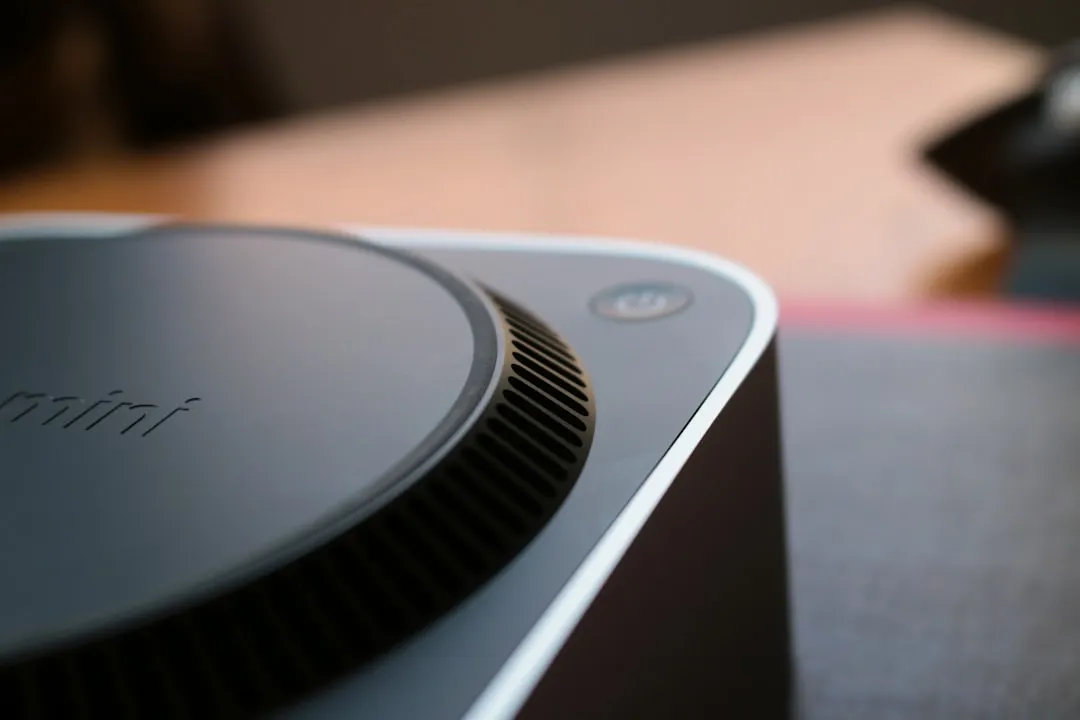
If your Aqara Hub M2 is refusing to pair, you are likely hitting a classic intersection of 2.4GHz Wi-Fi congestion, restrictive firewall policies, or an stale handshake process between the hub’s radio and your mobile device. Perform a hard reset by holding the button for 10 seconds, ensure your phone is on a 2.4GHz network, and clear your Bluetooth cache before initiating a fresh discovery scan in the Aqara Home app.
The Anatomy of a Failed Handshake: Understanding Zigbee and Wi-Fi Interference
In my 15 years of tearing down smart home infrastructure, I’ve seen enough "smart" hubs bricked by environmental interference to know that the M2’s pairing failure is rarely a hardware defect. It’s almost always a signal conflict. The Aqara Hub M2 relies on the Zigbee 3.0 protocol, which operates in the same 2.4GHz spectrum as your Wi-Fi, microwave ovens, and neighbor’s baby monitors.
When you trigger the pairing mode, the M2 broadcasts a beacon. If your home network is saturated with high-bandwidth traffic—especially if your router is aggressively hopping channels—the hub’s initial packet handshake often times out. The app shows a spinning wheel, the hub pulses blue, and eventually, the timeout kills the connection. It’s a classic "invisible" failure. You aren't seeing a broken wire; you’re seeing a spectral collision.
Why Your Router Settings Are Sabotaging Your Smart Home Ecosystem
Most modern routers are "smart"—meaning they use Band Steering (merging 2.4GHz and 5GHz into one SSID). For high-end smartphones, this is great. For a low-power Zigbee hub that needs to latch onto the 2.4GHz band to exchange initial security tokens, it’s a nightmare. The M2 requires a stable 2.4GHz environment during the initial onboarding.
- AP Isolation: Check your router’s "Client Isolation" or "Guest Network" settings. If enabled, the hub can’t talk to your phone, even if they are technically on the same local network.
- WPA3/WPA2 Compatibility: While the M2 is reasonably modern, older firmware versions have struggled with WPA3-only security modes. If you’ve enabled WPA3, try toggling it back to WPA2/WPA3 Mixed Mode during the pairing process.
- The DHCP Lease Conflict: If your M2 was previously paired to a different router, its MAC address might be holding a stale IP reservation in your router’s cache. A hard reboot of both the router and the hub is often required to flush this.
Real Field Report: The "Mesh Collision" Phenomenon
I once dealt with a high-end smart home install in a multi-dwelling unit (MDU). The client had 40+ Zigbee devices and a mesh Wi-Fi system. The M2 Hub kept failing to pair because the channel congestion on Zigbee Channel 11 overlapped perfectly with the client’s Wi-Fi channel 1.
The community forums (Reddit’s r/Aqara and r/HomeAssistant) are littered with users who claim the M2 is "trash" because it won't connect. In reality, they are living in a spectral "no-man's-land." If you are using Home Assistant alongside Aqara, remember that the M2 doesn't "just work" like a local Zigbee coordinator might. Its reliance on the Aqara cloud for initial provisioning is a systemic bottleneck. If the M2 can't reach the Aqara servers to verify its serial number, the local pairing handshake effectively stays locked.
The Hard Reset Protocol and Why Timing Matters
If you are staring at a blinking red light, don’t panic. The M2 has a specific reset sequence that acts as a factory clean slate:
- Disconnect: Unplug the power and Ethernet cables (if using wired connection).
- Hold: Press and hold the reset button.
- Power: Plug the power back in while keeping the button pressed.
- Wait: Keep holding for 10-15 seconds until the status LED flashes red/yellow.
- Release: Let go and let the unit reboot.
The Catch: Users often rush this. If you don't give the hub time to fully initialize after the reset, the internal database remains corrupted. I recommend waiting a full 60 seconds after the light stops flashing before you attempt to open the app again.
Counter-Criticism: Is the M2's Cloud Dependency a Design Flaw?
There is a loud, growing movement among smart home enthusiasts—the "Local-Only" crowd—that views the M2’s requirement for cloud-based onboarding as a major design failure. Critics argue that an IoT hub should be able to function entirely offline. They aren't wrong.
When you analyze the M2’s architecture, you realize that the pairing process is less about the hub talking to your phone, and more about the hub talking to the Aqara server, the server talking to your phone, and all three verifying a security certificate. If the Aqara server in your region is experiencing high latency, the "pairing" process will time out. This isn't a failure of your Wi-Fi; it's a failure of the platform’s infrastructure. Users often interpret this as a local bug, leading to hours of wasted troubleshooting when, in fact, the fix is simply waiting for off-peak server hours.
Troubleshooting the Ethernet vs. Wi-Fi Tug-of-War
The M2 is unique because it supports both wired Ethernet and Wi-Fi. Many users attempt to pair via Wi-Fi, then switch to Ethernet, which creates a "ghost" device in the app.
- Best Practice: Always pair via Wi-Fi first, get the device onto your account, and then plug in the Ethernet cable. The M2 usually defaults to the wired connection once it detects a link, but forcing a wired connection during the pairing sequence often confuses the handshake because the mobile app expects the device to be on the same broadcast domain as the Wi-Fi.
Escalation: What to do when standard troubleshooting fails
If you have tried the reset, cleared your cache, moved the router, and still nothing happens:
- Check the Bluetooth Permission: On iOS and Android, the Aqara app needs Bluetooth permissions to discover the hub. If you accidentally denied this, the app will never "see" the M2.
- The "Second Device" Test: Try using a secondary tablet or an older phone to initiate the pairing. I have seen countless cases where a specific phone’s VPN, ad-blocker, or "Private Relay" feature stripped the mDNS discovery packets required to find the hub.
FAQ
Why does my Aqara M2 flash red immediately after I plug it in?
Does the Aqara Hub M2 support 5GHz Wi-Fi?
I switched routers and now the M2 won't reconnect. Do I have to re-pair everything?
Is there a way to pair the M2 without the Aqara app?
What is the "hidden" downside of the M2's mesh capability?
In summary, the "broken" pairing process is almost always a layer-one or layer-two networking issue. Don't fall for the trap of thinking your device is a brick. Clean your network, manage your spectral interference, and be patient with the cloud-based authentication flow. If it still fails, the culprit is 9 times out of 10 your mobile device's VPN or a hidden 5GHz band steering setting. Fix those, and the hub will play ball.
Bu makale affiliate linkleri içermektedir.