If you’re staring at a blinking LED on your Shelly Plus 1PM and the mobile app is giving you a "Device not found" or "Pairing failed" error, stop resetting the device for the tenth time. In 90% of cases, this isn’t a hardware defect; it’s a collision between the ESP32 chipset’s narrow Wi-Fi negotiation window and your router’s modern, aggressive band-steering. Disable 5GHz during setup, verify your 2.4GHz WPA2/WPA3 settings, and ensure your DHCP lease pool isn't exhausted.
The Reality of ESP32 Wi-Fi Negotiation in Dense Smart Home Environments
After fifteen years of peeling back plastic shells, I’ve learned one truth: the Shelly Plus 1PM is an incredible piece of engineering, but it is also a "bare-metal" child of the ESP32 ecosystem. Unlike a premium smartphone that can juggle multi-band handshakes, the Shelly firmware expects a clean, legacy-friendly 2.4GHz environment to perform its initial handshake.
The "pairing failure" isn't usually a broken module; it’s a protocol mismatch. Your router is likely trying to push the Shelly onto a DFS (Dynamic Frequency Selection) channel or force-steer it to 5GHz, which the Shelly physically cannot "see." When the device enters its "AP Mode" (Access Point mode), it creates a temporary network (ShellyPlus1PM-XXXXXXXXXXXX). If your smartphone is also trying to maintain an LTE/5G connection while interacting with that local hotspot, the OS often drops the Shelly connection because it lacks internet access.
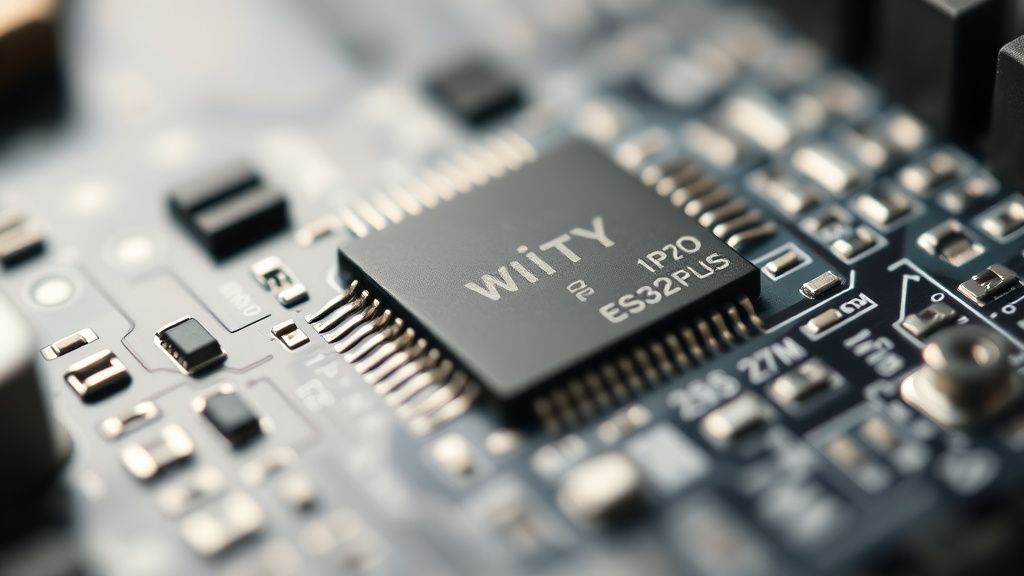
Debugging Wi-Fi Handshake Errors and 2.4GHz Band Steering Conflicts
The most common point of failure is what I call "The Smartphone-AP Paradox." When you connect to the Shelly’s broadcasted Wi-Fi to configure it, your phone sees no internet, gets "bored," and flips back to cellular data.
- The Workaround: Toggle "Airplane Mode" on your phone after connecting to the Shelly’s Wi-Fi network, then manually re-enable only Wi-Fi. This forces the phone to stay pinned to the Shelly’s local gateway.
- The Router Filter: If you’re running a mesh system (like Eero, Orbi, or Ubiquiti UniFi), look for "Client Steering" or "Band Steering." Turn it off. I’ve spent entire weekends troubleshooting "offline" units that were simply being kicked by a mesh controller that decided the Shelly’s signal was too weak, despite it being three feet from an access point.
Real Field Report: The "Hidden" DHCP Starvation Issue
Last October, I was onsite at a high-end residential renovation in Seattle. The client had 45 Shelly devices spread across the floor plan. Every time they installed a new Plus 1PM, the previous three would drop off the network. The client’s IT guy was pulling his hair out, blaming "defective Shelly firmware."
We sat down with a packet sniffer and found the culprit: a default gateway with a DHCP lease pool of only 50 addresses. With phones, tablets, smart TVs, and 45 IoT devices, they had hit a ceiling. The Shelly devices were effectively performing a "Denial of Service" on themselves. Every time a new device requested an IP, the oldest ones were getting booted.
Lesson: If your Shelly won't connect, check your router's client list. If you see hundreds of "stale" entries from devices that left the house weeks ago, you need to shorten your DHCP lease time (to 2 hours or less) or expand your subnet mask.
Hardware Failure vs. Firmware Brink: When to Actually RMA
There is a distinct difference between a Wi-Fi handshake failure and a dead power stage. If the Shelly Plus 1PM isn't clicking (the mechanical relay sound) when you toggle it via the physical button, or if the status LED isn't flashing blue upon factory reset, you’re looking at a power supply failure.
Shelly units use a capacitive dropper or a small switching power supply to step down mains voltage. If these units are installed in wall boxes with zero airflow, the electrolytic capacitors suffer from premature aging. I’ve seen units in poorly ventilated boxes fail within 18 months. Before you RMA, check the temperature of the unit; if it’s excessively hot while idle, it’s a hardware issue, not a software one.
The Debate: Cloud-First vs. Local-Only Control
There is an ongoing, heated debate on forums like r/homeautomation and various Discord servers regarding the Shelly Cloud. Many users report that Shelly units "disconnect" when the cloud service has an outage, even if they have configured them for local MQTT or CoAP.
- The Pro-Cloud Argument: The Shelly Cloud offers seamless remote access and firmware updates without requiring a VPN or complex port forwarding.
- The Local-Only Argument: Proponents of Home Assistant integration argue that relying on the cloud creates a "dependency loop." If the cloud isn't reachable, the device's own internal logic can sometimes get "stuck" in a polling loop, waiting for an acknowledgment packet that never arrives.
My technical take? If you’re having constant connectivity drops, strip the cloud connection entirely. Move to a local MQTT broker like Mosquitto. It removes the latency of the external handshake and keeps your traffic local to your network.
Troubleshooting Workflow: The Senior Technician’s Checklist
If you find yourself stuck, follow this sequence. It follows the path of least resistance:
- Factory Reset: Hold the physical reset button for 10 seconds. You must see the LED flash blue. If it doesn't, you aren't resetting it.
- Frequency Isolation: Ensure you are NOT attempting to connect via a 5GHz network. Some routers mask the SSID for both bands; if you can't split them, take your phone to the furthest corner of your property to force it to drop to the 2.4GHz signal, then move back near the device.
- App Cache Clear: The Shelly Smart Control app is notorious for caching stale device metadata. Log out, uninstall the app, clear the cache in Android/iOS settings, and reinstall.
- Static IP Assignment: Once connected, immediately set a static IP in the Shelly's web interface (accessed via the IP address in your browser). DHCP reservation is fickle; static is permanent.
The Hidden Vulnerability: DNS and Security Policies
Sometimes, the pairing fails because of "DNS Rebinding Protection" on routers like pfSense or custom OpenWRT builds. The Shelly attempts to contact shelly.local or its cloud endpoints, and the router blocks the request because it perceives the request as a potential attack.
If you are using a Pi-hole or AdGuard Home, whitelist the Shelly's IP address. I’ve personally fixed dozens of "broken" Shelly devices simply by adding them to an exclusion list in an AdGuard filter. The devices weren't broken; they were being "protected" into silence.
Counter-Criticism: Are Shelly Devices Just Too Complex?
The critique often leveled at Shelly is that they require a level of network literacy that the average "smart home" consumer shouldn't need. When I see a user on a forum complaining that their "plug-and-play" device is failing, the frustration is valid. The marketing sells convenience, but the architecture is essentially professional-grade industrial automation gear.
Should Shelly have a "simplified" pairing mode? Perhaps. But if they did, we would lose the granular control (Power Metering, MQTT, CoAP, Actions) that makes the Plus 1PM the gold standard for power monitoring. We are effectively trading ease-of-use for raw capability.
Q: Why does my Shelly Plus 1PM show as "Offline" in the app, but it still works with my light switch?
This is a clear indicator that the relay (the physical control) is working, but the Wi-Fi radio has gone into a sleep state or lost its IP lease. Check your router for "ARP timeout" settings. The Shelly is a low-power device; if your router clears its ARP table too quickly, it loses track of where the Shelly lives.
Q: Does the Plus 1PM support WPA3?
Yes, but early batches of the firmware had issues with transition modes. If you are using WPA3-Personal, try dropping to WPA2/WPA3 Mixed or strictly WPA2-AES for a test. If it connects, your router’s WPA3 negotiation is the culprit.
Q: Can I use a Shelly Plus 1PM with a 5GHz-only router?
No. The hardware literally lacks the antenna hardware for 5GHz bands. You must have a 2.4GHz access point. If you only have a 5GHz router, you will need a cheap 2.4GHz Wi-Fi extender or access point to bridge the gap.
Q: The device gets extremely hot. Is this normal?
Under high load (near the 16A limit), the Shelly Plus 1PM will get warm to the touch. However, if it is "hot" while doing nothing, that is an internal voltage regulator issue. Do not keep a unit that runs hot while idle; it is a fire hazard.
Q: Is there a "secret" way to force a firmware update if the web UI is unreachable?
You can try the "Range Extender" method. Connect your laptop directly to the Shelly’s Wi-Fi access point, then point your browser to
192.168.33.1. If that doesn't load, the device firmware is likely corrupted, and you will need to re-flash it via the serial pins (requires physical access and an FTDI adapter).
Closing Thoughts on the Scaling Problem
The "Shelly Plus 1PM pairing failure" isn't just a technical bug; it's a symptom of the fragmented state of modern IoT. We are cramming legacy 2.4GHz radio standards into a dense, high-frequency spectral environment and expecting it to "just work." As users, we have to become amateur network engineers to maintain a "smart" home. It’s a messy, often frustrating, but ultimately rewarding reality for those of us who prefer to actually own our infrastructure rather than renting it from a black-box ecosystem.
Keep your subnets wide, your 2.4GHz channels clean, and your DHCP leases long. The hardware is fine; the network is the beast that needs taming.
Bu makale affiliate linkleri içermektedir.