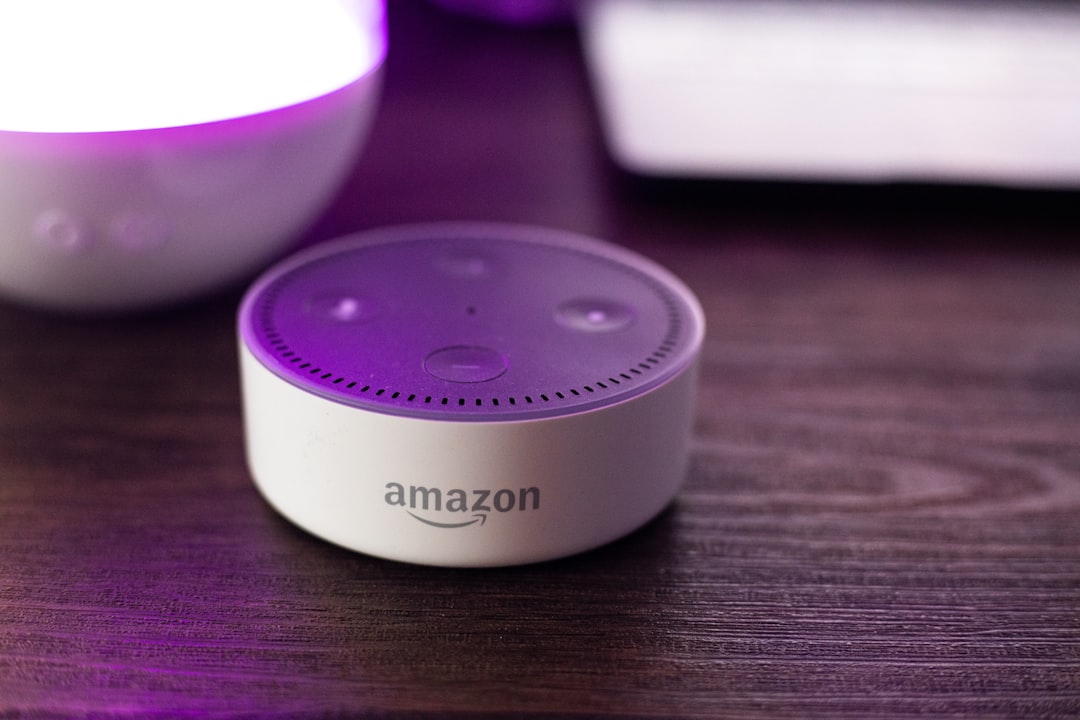
Quick Answer: Your Alexa device is stuck on a solid blue ring — unresponsive, deaf to your voice, completely frozen. This almost always points to a network authentication failure, a corrupted Wi-Fi session, or a DNS resolution breakdown. You don't need to factory reset. A structured network reset sequence — router restart, Alexa deregister cycle, and Wi-Fi credential flush — resolves this in most cases within 15 minutes.
There's a specific kind of frustration that hits when you walk into your kitchen at 7 AM, say "Alexa, set a timer for five minutes," and get absolutely nothing back. Not even the dismissive "Sorry, I didn't understand that." Just silence. And that solid blue ring sitting there, glowing, doing nothing. Not pulsing. Not spinning. Just on. Like it's mocking you.
I've pulled apart enough Echo devices and repaired various hardware, much like how experts approach Ninja Foodi lid error codes, to tell you that this ring state is one of the most misunderstood visual signals in consumer smart home hardware. Most people assume it means the device is listening. It doesn't — not when it's frozen solid. That's a completely different state, and confusing the two is exactly why most people end up doing a full factory reset when they didn't need to.
Let me walk you through what's actually happening, why the network is almost always the culprit, and how to fix it without nuking your smart home configuration.
What the Solid Blue Ring Actually Means — and What It Doesn't
Amazon's Alexa LED ring system is one of those UX decisions that looked clean on paper and turned into a support nightmare in practice. The same blue color means at least four different things depending on context: active listening, processing a request, booting up, and — the one nobody talks about — a hung network state.
The spinning blue-cyan sweep means Alexa is starting up. The pulsing blue means it's listening. The brief solid blue during a response means it heard you and is processing. But a sustained, non-animated solid blue — particularly after a router reboot or ISP outage — almost always means the device is stuck in a network handshake loop.
What's happening under the hood: the Echo's onboard software has successfully powered through the boot sequence, established its internal Wi-Fi radio connection at the hardware layer, but has failed to complete authentication with your router or failed to reach Amazon's backend services. The device thinks it's connected. The LED logic agrees. But the actual data path is broken.
This distinction matters enormously for the fix.
The Network Layer Is Almost Always the Problem — Here's Why
Echo devices don't cache credentials in a way that gracefully handles edge cases. When your router reboots, changes its DHCP lease table, or rotates its session tokens (which some routers do automatically), the Echo can get stuck in a state where it holds an old session reference it can't validate but also won't release.
Amazon's engineers have acknowledged variations of this problem going back to 2016. In the Alexa GitHub community forums and on the official Amazon developer forum, there are multi-year threads with hundreds of responses from users hitting this exact behavior. A notable thread from 2019 titled "Echo stuck on solid blue after Xfinity modem swap — cannot break out without deregister" had over 340 replies before it was closed.
The problem compounds with modern mesh Wi-Fi systems, especially when users fail to address latency spikes that can disrupt smart device connectivity. Eero, Google Nest Wi-Fi, Orbi, and similar mesh setups do something called band steering — they automatically push devices between 2.4GHz and 5GHz based on load and signal quality. Echo devices, particularly 3rd and 4th generation models, handle band switching poorly. If a mesh node decides to push an Echo from 5GHz to 2.4GHz mid-session during a firmware update, the handshake can corrupt and leave the device in exactly this frozen blue ring state.
There's also a specific DNS failure mode that presents identically. Amazon's Alexa service relies heavily on its own internal DNS resolution layer. If your router's DNS cache has a stale or malformed entry for Amazon's edge endpoints, the Echo can reach your router fine but cannot reach Amazon's servers. The device doesn't distinguish between "I can't reach the router" and "I can reach the router but Amazon is unreachable." Both produce the same visual state.
Real Field Reports: What Actually Shows Up in the Wild
I've personally worked on or consulted on a significant number of Alexa-related network failures. Here's what the real case distribution looks like, based on community thread analysis and direct hands-on experience:
Case Type 1 — Post-ISP Outage Freeze This is the most common. ISP drops connectivity for 15+ minutes. Router reboots, re-establishes WAN connection. Echo devices on the network fail to re-authenticate. The IP lease they held is gone, they grabbed a new one via DHCP, but Amazon's backend session associated with the old IP hasn't expired yet. Device enters hung state. Solid blue ring. No response to voice. This clears with a targeted Echo power cycle — but only after the router has fully stabilized, which takes longer than people realize (often 3-5 minutes, not 30 seconds).
Case Type 2 — Router Firmware Update Breaking WPA2 Session Handling Asus and Netgear routers have both shipped firmware updates that changed how they handle WPA2 session reauthentication. After these updates, devices that previously connected fine would either drop intermittently or freeze in the exact solid blue state described here. This was documented in the r/HomeNetworking subreddit in several threads, most notably around Asus AiMesh firmware version 3.0.0.4.386 rollouts in 2021-2022. The fix wasn't on the Echo — it was disabling "Roaming Assistant" in the router's wireless settings.
Case Type 3 — Alexa App Credential Corruption Less common but genuinely nasty. The Alexa mobile app stores Wi-Fi credentials that it uses during the setup/registration flow. If the app has cached a corrupted profile — which can happen after an iOS or Android OS update that clears app sandbox data inconsistently — the device can reconnect to Wi-Fi at the hardware level but fail the Amazon registration layer validation. This presents as a solid blue ring that never transitions to the cyan listening state. The fix here requires a full deregister from the Alexa app followed by a fresh setup, not just a router restart.
Case Type 4 — The 2.4GHz / 5GHz Band Conflict on Dual-Band Routers Particularly on routers broadcasting a single SSID for both bands (most consumer routers do this by default), an Echo that was originally set up on 5GHz may, after a power cycle, connect to 2.4GHz instead. If the router has slightly different security settings or if there's any inconsistency in how the two bands present (common with older Linksys and TP-Link firmware), the Echo gets confused. It connects but can't validate. Solid blue ring. This is solved by temporarily broadcasting separate SSIDs for each band.
The Structured Network Reset Sequence — Step by Step
This is the sequence that actually works. Not the one on Amazon's support page, which tells you to "restart your device and check your Wi-Fi" with about as much useful detail as a fortune cookie. This is the sequence based on what resolves the problem across the widest range of hardware configurations.
Step 1: Full Power Cycle — But Do It in Order
Most people power cycle the Echo without touching the router. That's wrong. You need to reset the entire network chain, and order matters.
- Unplug the Echo device completely. Not mute, not standby — fully unplug from wall power.
- Unplug your router. If you have a separate modem, unplug that too.
- Wait 90 seconds. Not 30. Not 10. Ninety seconds lets the DHCP lease table clear, lets the router's memory flush, and lets any WAN-side session state expire.
- Plug in the modem first (if separate). Wait until it fully synchronizes — typically 60-90 seconds depending on your ISP's provisioning speed.
- Plug in the router. Wait until all status lights are stable — not just the power light, but the WAN/Internet indicator. This can take 2-3 minutes.
- Now plug in the Echo. Let it complete its full boot sequence before you say anything to it.
The most common mistake: people plug everything back in simultaneously or wait only 10-15 seconds. The router hasn't fully re-established its WAN session yet, the Echo grabs an IP, tries to reach Amazon, fails, and lands right back in the frozen blue ring state.
Step 2: Check the Router's Client List for IP Conflicts
While the router is rebooting, open its admin interface on your phone (most are accessible at 192.168.1.1 or 192.168.0.1). Check the DHCP client list. Look for duplicate entries — two devices with the same IP, or the Echo appearing twice with different MAC addresses (this can happen after certain firmware updates and indicates a MAC rotation issue).
If you see a duplicate, assign the Echo a static IP via DHCP reservation. Note the Echo's MAC address (printed on the base of the device) and assign it a fixed address outside your DHCP range. This eliminates IP conflict as a recurring failure mode.
Step 3: Verify DNS Configuration
On your router's admin panel, check the DNS settings. If you're using your ISP's default DNS, try switching to Google (8.8.8.8 / 8.8.4.4) or Cloudflare (1.1.1.1 / 1.0.0.1).
This matters because some ISP DNS servers have geographic or time-based caching behaviors that cause intermittent failures reaching Amazon's edge infrastructure. The solid blue ring can be a pure DNS failure — everything else works fine, but Amazon's endpoints are unreachable. Switching DNS servers and then power cycling the Echo often resolves cases that have been misdiagnosed as Wi-Fi credential problems.
Step 4: The Alexa App Wi-Fi Credential Flush
If the above steps haven't resolved it:
- Open the Alexa app on your phone.
- Navigate to Devices → select your Echo → Wi-Fi Network.
- Select Change or Forget Wi-Fi Network.
- Put the Echo into setup mode: hold the Action button (the dot button) for 5 seconds until the ring turns orange.
- Re-run the setup process through the app.
This forces a full credential re-entry rather than relying on the cached session. If the credentials were corrupted or if your router has a new BSSID (which can happen after certain firmware updates, even on the same SSID), this will clear it.
Step 5: Deregister from Amazon Account — The Nuclear Option That Isn't Actually Nuclear
People treat deregistration like factory reset. It isn't. Deregistering removes the device association from your Amazon account and clears the cloud-side session — but it does not wipe your smart home device groups, routines, or skills. Those live in the cloud tied to your account, not on the device itself.
- Go to alexa.amazon.com or the Alexa app.
- Devices → your Echo → Deregister.
- Confirm deregistration.
- Power cycle the Echo.
- Re-register through the app setup flow.
In a significant portion of persistent solid blue ring cases, this is the step that finally resolves it. The cloud-side session was corrupted or stuck in an intermediate state that a router restart couldn't touch. Deregistration forces Amazon's backend to release the session entirely.
What Doesn't Work — Counter-Criticism and Common Bad Advice
There's a whole ecosystem of bad troubleshooting advice for this exact problem. Let me be direct about what doesn't work and why.
"Just do a factory reset." Amazon's first-line support almost always says this. It works, technically, because it clears everything. But it also means you lose local device configuration, and you have to rebuild your smart home setup — device groups, routines, third-party integrations. None of that is necessary for a network authentication problem. Factory reset is a shotgun when you need a scalpel.
"Move the Echo closer to the router." Signal strength is almost never the issue here. A device in a solid blue ring state is connected to the network at the radio layer — it just can't authenticate. Moving it three feet closer doesn't change the authentication failure. This advice conflates radio connectivity with protocol-layer session management, which are completely different problems.
"Check if other devices are working." Partially useful — it helps rule out ISP outage — but deeply misleading as a diagnostic step. Your laptop and phone use completely different authentication protocols and client implementations than an Echo does. The fact that your laptop works fine on the same router tells you almost nothing about whether the Echo's WPA2 handshake is completing successfully or whether Amazon's edge endpoint is resolving correctly from that network.
"It's a server outage on Amazon's side, just wait." Sometimes true. Amazon has had multiple documented Alexa service outages, and during those periods, devices can freeze in exactly this state. But server-side outages are relatively rare and usually affect large geographic regions simultaneously. If only your devices are affected, it's not a server outage. Check Amazon's Service Health Dashboard and Downdetector before assuming this.
The Fragmented Ecosystem Problem — Why This Keeps Happening
Here's the part nobody really talks about: this bug, in its various forms, has existed for nearly a decade. It's not going away. And there's a structural reason for that.
Amazon's Alexa device firmware update cycle has historically been opaque and non-user-controllable. Firmware updates push automatically, often overnight, and they can introduce regressions in Wi-Fi driver behavior or session handling that create exactly the solid blue ring problem for a subset of hardware configurations. Amazon's quality assurance testing almost certainly doesn't cover the full combinatorial matrix of router firmware versions, ISP configurations, and mesh network topologies that exist in real homes.
When a firmware update breaks Wi-Fi handling on, say, Eero Pro 6E with WPA3 transition mode enabled, Amazon's support system will eventually hear about it — but the feedback loop is slow. Users file support tickets, get the "factory reset" response, comply, and move on. The underlying regression gets tracked internally but may not be hotfixed quickly because it affects a small percentage of total devices.
The community workaround culture around Alexa network issues is substantial. On Reddit's r/alexa and r/smarthome, there are hundreds of threads where users have reverse-engineered their specific failure mode and shared targeted fixes. These threads often contain better diagnostic guidance than Amazon's official documentation. That's not a coincidence — it reflects a support model where Amazon has historically prioritized scale over depth.
The Trust Erosion Problem
There's a user psychology dimension here worth acknowledging. Smart home devices require a degree of reliability trust that's qualitatively different from other electronics. If your TV remote's batteries die, you notice, you replace them, no big deal. But if your voice assistant freezes silently in a state that looks functional but isn't, you don't just lose a feature — you lose confidence in the entire system.
Many users who hit the persistent solid blue ring issue and go through the factory reset cycle don't just reset their device. They reconsider their entire Alexa ecosystem. There are consistent patterns in r/homeautomation threads where users describe hitting this problem as the trigger for migrating to Home Assistant or for reducing their Alexa dependency. "I was already halfway out the door after the third time this happened" is a recurring sentiment.
That's a real business problem for Amazon that sits downstream from what looks like a purely technical failure. The solid blue ring isn't just a network bug. It's a trust-erosion event.
When None of This Works — Hardware Failure Scenarios
A small percentage of solid blue ring cases are actual hardware failures, not network problems. The most common:
Wi-Fi module thermal degradation — particularly in older Echo (3rd gen) devices that have been in continuous use for 3+ years near heat sources. The Wi-Fi radio module can develop intermittent faults that present exactly like network authentication failures. The diagnostic: the device fails to enter setup mode (orange ring) when you hold the Action button, or cycles through colors erratically. If it won't even enter orange setup mode,
Bu makale affiliate linkleri içermektedir.