If your SmartThings Hub V3 is offline—a common issue also seen with other smart home bridges like Philips Hue—power-cycle the unit and verify your Ethernet connection first. Check the status at status.smartthings.com to rule out cloud outages. If the LED remains blinking red or yellow, you are likely dealing with a firmware synchronization failure or local network IP conflict that requires a router-level DHCP reservation or a hard factory reset.
The Anatomy of the SmartThings V3 "Offline" State
After fifteen years of turning wrenches on consumer electronics, I have learned one fundamental truth: "Smart" home devices are only as smart as the infrastructure that connects them. The Samsung SmartThings Hub V3, a sleek little box that sits on your shelf, is effectively a bridge between two worlds: local Z-Wave/Zigbee protocols and the massive, often volatile, cloud-based architecture of the Samsung ecosystem. When a user sees that "Offline" status in the app, it is rarely just one thing. It is a failure of communication, a handshake that stopped happening, or a cloud server that decided your hub wasn't worth the bandwidth that day.
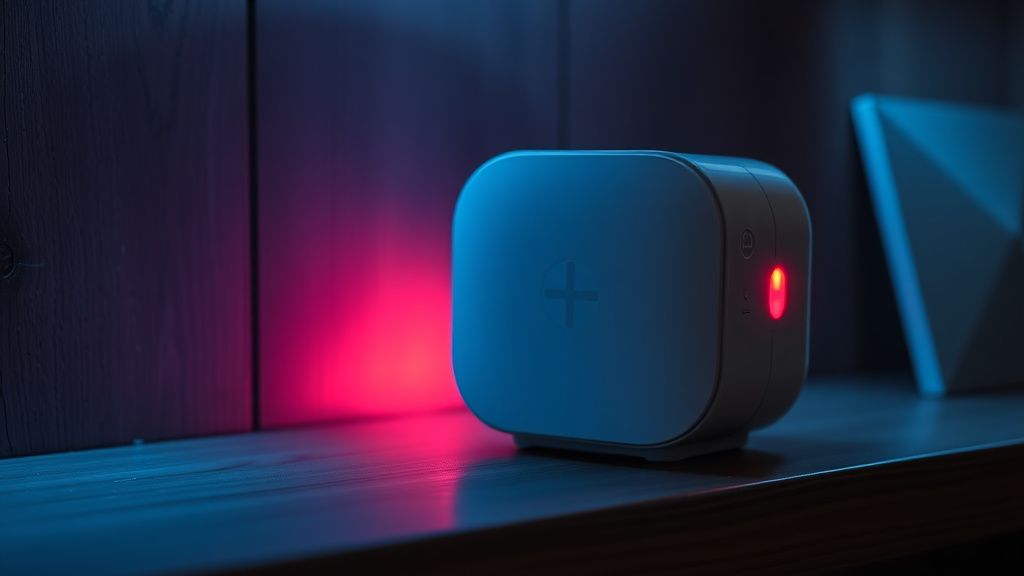
When a V3 hub goes offline, the front-facing LED is your primary diagnostic tool. A solid green light suggests the hub is talking to the cloud. A blinking red, however, tells you that the hub has effectively lost its heartbeat. From a technical standpoint, this is often caused by a "DHCP lease exhaustion." In simpler terms, your router forgot who the hub is because the IP address assigned to it changed, or the cloud server’s token-based authentication expired without a proper refresh.
The Power Cycle Fallacy and Network Integrity
We have all been told to "unplug it and plug it back in." It’s the technician’s version of a prayer. Does it work? Frequently. But why? When you pull the plug on a V3 hub, you force a hardware-level re-initialization of the network interface controller (NIC). If you are experiencing frequent drops, the problem is likely not the hub—it is your network congestion.
Smart home hubs are notoriously picky about "Double NAT" scenarios and aggressive firewall rules. If you have your V3 hub behind a secondary Wi-Fi extender or a complex mesh system, you are introducing latency. In the world of Zigbee and Z-Wave, latency is the enemy. If the hub doesn't receive a confirmation packet from the cloud within a specific window, it marks itself as offline to prevent "ghost" automations from firing.
Real Field Report: The "Mesh Wi-Fi" Bottleneck
I once consulted on a high-end smart home integration where the hub dropped connection every 48 hours precisely. The user had a top-tier mesh system, but they had hidden the hub inside a metallic media cabinet. The metal acted as a Faraday cage for the hub's internal antenna, causing intermittent packet loss. We moved the hub, hard-wired it to a managed switch, and the "offline" errors vanished. The lesson? The hardware is solid, but the placement—and the way your router handles local traffic priority—is the real performance bottleneck.
The Cloud Reliance Problem: A Critique of the Ecosystem
Let’s be honest: SmartThings’ dependency on the cloud is both its greatest strength and its most glaring flaw. When the cloud services in Samsung’s data centers hit a snag, your local automations—which should work locally—can sometimes hang because the authentication flow is tied to the mother-ship. This is a design decision. It allows for the massive, cross-platform integration that users love (Alexa, Google Assistant, Philips Hue), but it introduces a "failure of trust." When your lights don't turn on because a server in a different time zone is undergoing a database migration, that’s not a "smart home"—that’s an expensive hobby.
Users on various forums often point to "Firmware Brick" events. When an OTA (Over-the-Air) update is pushed to the hub, the process can fail if the bandwidth dips. This leaves the hub in a "boot-loop"—a critical failure mode that can also affect devices like the Home Assistant Green—or a state where it simply refuses to connect. Unlike a PC, you cannot just pull the hard drive and re-flash the BIOS. You are at the mercy of Samsung’s backend engineers.
Troubleshooting the Protocol Contradictions
If your hub is online, but your devices are showing "Offline" inside the app, the issue is not the hub—it is your mesh network of sensors. Zigbee and Z-Wave are low-power mesh protocols. If a "repeater" device (like a smart plug) loses power, the entire chain can collapse. I have seen clients spend three days trying to "reset their hub" when they actually just needed to replace the battery in a single, rogue door sensor that was flooding the network with malformed traffic.
Steps for a Deep-Level Recovery:
- The Static IP Assignment: Log into your router, find the MAC address of the V3 hub, and reserve an IP address. This prevents your router’s DHCP table from causing a collision during lease renewals.
- DNS Manipulation: Sometimes the hub struggles to resolve the cloud API hostnames. Try setting your primary DNS to 8.8.8.8 (Google) or 1.1.1.1 (Cloudflare) on your router.
- The "Wait-and-See" Policy: Never initiate a factory reset until you have waited at least 60 minutes after a power cycle. SmartThings hubs often perform a "post-update optimization" process that can make them appear unresponsive for a while.
The Economics of Planned Obsolescence
Why does the V3 hub feel so fragile sometimes? Look at the industry. The cost of a hub is subsidized by the expectation of data collection and ecosystem lock-in. When a company changes its API—like the transition from the legacy "SmartThings Classic" app to the new "SmartThings" app—you see a spike in "offline" reports. This isn't hardware failure; it is software migration fatigue. Many of the original SmartThings users felt betrayed by the forced migration, and the "offline" errors were often the physical manifestation of that technical debt.
Karşılıklı Eleştiri: Is it the Hub or the User?
There is a massive debate in the Home Assistant vs. SmartThings community. The "self-hosted" crowd argues that relying on a device that needs an internet connection is fundamentally flawed. They have a point. However, the average user doesn't want to maintain a Raspberry Pi or a YAML configuration file. They want the light to turn on. The SmartThings V3 is a compromise product. It is meant to be user-friendly, but the trade-off is a lack of transparency when things go wrong. If you aren't comfortable digging into your router's ARP tables or checking if your Z-Wave switches are flooding the network, you are going to find the "Offline" state deeply frustrating.
When to Replace vs. When to Repair
If you have done a factory reset (the pin-hole button on the back, held for 30 seconds), ensured a direct Ethernet connection to your modem, and the hub still displays a solid red or blinking blue, it is dead. Period. The flash memory on these devices can degrade over time, especially if they are placed near heat sources like cable boxes or amplifiers. If your hub is older than five years, consider the "hardware lifecycle." Electronics meant for 24/7 uptime often face capacitor fatigue. It’s not your fault; it’s entropy.
Final Thoughts on Scaling
People ask me, "How many devices can I put on one V3 hub?" The theoretical limit is hundreds, but the practical limit is closer to 50 active, chatty devices. Once you cross that threshold, the hub's CPU starts to struggle with the event queue. If you have 80 devices and you’re getting "offline" errors, you don't need a new hub—you need to offload some of those devices to a secondary hub or move to a local-only bridge like Hubitat or Home Assistant for your high-frequency traffic.
The "Smart Home" isn't a finished product. It’s a constant maintenance cycle. If you embrace the fact that it will break, you’ll learn how to fix it faster.
FAQ
Is it safe to leave my hub unplugged for a long time?
Why does my hub show "Offline" in the app but my lights still work?
Should I factory reset if I'm having connection issues?
Does the V3 hub require an Ethernet connection?
Will Samsung ever stop supporting the V3?
Bu makale affiliate linkleri içermektedir.