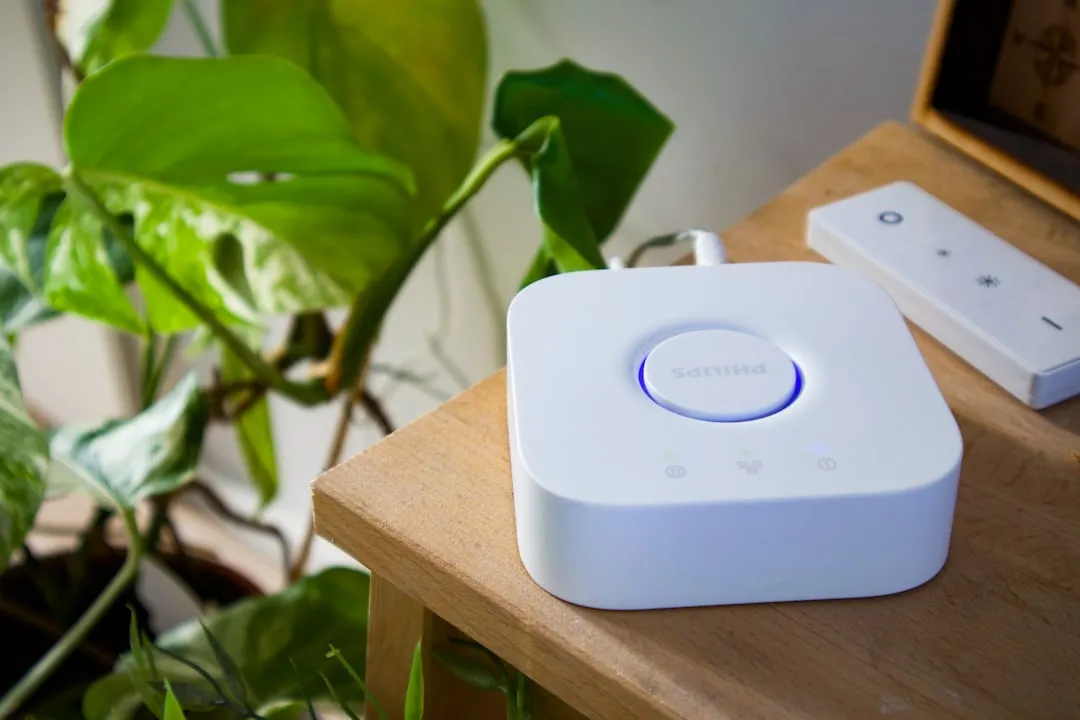
If your Home Assistant Green is failing to pair Zigbee devices or experiencing dropping connections, the issue is almost never the hardware itself; it is the volatile intersection of radio interference, coordinator firmware state, and network mesh topology. Start by power-cycling the device, ensuring your Zigbee channel does not overlap with your 2.4GHz Wi-Fi (use channel 25), and check for the ZHA integration log errors. If the device remains unresponsive, you likely have a ghost node or a corrupted IEEE address conflict in the radio’s NVRAM.
The Home Assistant Green is a paradox of modern home automation: it is designed to be the "appliance-like" gateway for the masses, yet it sits on top of a Zigbee stack that is notoriously sensitive to its physical and radio-frequency environment, much like other Zigbee hubs such as the Aqara Hub M2 which can experience persistent network and Zigbee drops. When you see a "Failed to Join" error in the ZHA (Zigbee Home Automation) logs, or if you're experiencing issues with other Home Assistant Zigbee coordinators like SkyConnect not pairing, you aren't just looking at a software bug; you are looking at a system struggling with electromagnetic physics, firmware synchronization, and the messy reality of the IEEE 802.15.4 protocol.
Understanding the Zigbee Mesh Topology and Radio Interference
The Zigbee radio inside the Home Assistant Green operates at 2.4GHz. This is the same neighborhood where Wi-Fi, Bluetooth, and even the microwave in your kitchen reside. Most users blame the Home Assistant software when a bulb fails to pair, but they rarely consider that their wireless router is effectively "shouting" over the low-power Zigbee signal.
When you attempt to pair a sensor, you are essentially initiating a handshake protocol. If the coordinator (the Green) cannot hear the device's announcement packet because of channel congestion, the pairing will time out.
The Wi-Fi Channel Conflict
If your Wi-Fi is on channel 1 (standard 2.4GHz), it overlaps significantly with Zigbee channel 11. If you are struggling with intermittent pairing, you should change your Zigbee channel to 25. Channel 25 sits at the very end of the 2.4GHz spectrum, effectively hiding in the "quiet" zone away from the massive Wi-Fi throughput. This isn't a "Home Assistant" setting—it’s a networking reality that most consumer hardware manufacturers gloss over to maintain a "plug-and-play" aesthetic.
Diagnosing ZHA Log Failures and Coordinator Firmware
When you hit the "Configure" button in ZHA and nothing happens, your first instinct should be the logbook. If you see [0x0000:zdo] ZDO request ZDORequestType.Bind_req failed, you are experiencing a communication timeout between the coordinator and the end device.
- Check the Radio Status: Go to Settings > Devices & Services > Zigbee Home Automation > Configure. Ensure the device path is correctly identified. If the system says "Connection refused," your serial driver has crashed.
- Hard Reset vs. Soft Reset: A soft reboot of Home Assistant is often insufficient for clearing the radio’s NVRAM cache. Unplugging the device for 60 seconds allows the internal capacitors to drain, forcing the radio to re-initialize its memory pointers.
The "Ghost Node" Problem
One of the most persistent issues in Zigbee networks is the "Ghost Node." This happens when a device is partially paired but the database update fails. The coordinator thinks the device exists, but the device thinks it hasn't paired yet. This creates a state machine deadlock. The only way to fix this is to force a re-interview of the device via the ZHA integration dashboard, or in severe cases, deleting the device from the zigbee.db file located in your configuration directory.
"The Home Assistant Green is meant to be a user-friendly entry point, but it hides the complexities of Zigbee mesh networking from users who aren't ready for them. When the mesh fails, they aren't equipped to troubleshoot the radio spectrum, and that leads to the 'it just doesn't work' sentiment that plagues support forums." — Veteran Home Automation Systems Engineer.
Real Field Reports: The "Unpairable" IKEA Tradfri Nightmare
In the open-source community, specifically on platforms like Reddit's r/homeassistant and various GitHub issues (e.g., Issue #10245 in the ZHA-Device-Handlers repo), there is a recurring complaint regarding older IKEA Tradfri bulbs. These devices often require a power cycle—turning them off and on six times in rapid succession—to trigger the factory reset mode.
Many users report that their Home Assistant Green "finds" the device but then stalls during the "Configuring" phase. The reality here is not a fault in the Green; it is a latency issue in the device's firmware implementation of the Zigbee Cluster Library (ZCL). The coordinator is trying to read the device's attributes, but the device is failing to respond within the expected millisecond window.
Counter-Criticism: Is the Home Assistant Green Reliable?
There is a loud, growing debate about whether integrated radio coordinators are inherently inferior to external USB dongles. Critics argue that placing a Zigbee antenna inside a plastic, non-shielded enclosure right next to a high-speed CPU (which generates significant RF noise) is a design compromise.
The "Internal Antenna" Debate
Industry experts often argue that the Home Assistant Green, while convenient, suffers from "noise floor" issues. An external Zigbee coordinator on a USB extension cable (to move the antenna away from the CPU's EMI) is objectively better for signal stability. However, the manufacturer's goal with the Green is to eliminate the "cabling mess" for the average consumer. This leads to a fundamental conflict: Ease of use vs. Signal Integrity.
- Proponents argue that the firmware-level optimizations in Home Assistant's ZHA stack compensate for the internal antenna.
- Critics point to the constant stream of "pairing failed" reports as evidence that the physical design cannot overcome the physics of RF shielding.
Advanced Troubleshooting: When Nothing Else Works
If you have tried the basics and the pairing still fails, you are likely dealing with an IEEE address conflict or a corrupted zigbee.db.
1. Manual Database Cleanup
The ZHA integration stores its state in a SQLite database. If your system was moved from a different coordinator (like a ConBee II or a Sonoff stick), the IEEE addresses might clash. You may need to delete the zigbee.db file and restart.
Warning: This will force you to re-pair every single device in your house.
2. Mesh Network Rebuilding
If the coordinator is fine but the routing is the issue, remember that Zigbee devices are "end-points" and "routers." If you are trying to pair a battery-powered device, it must pair directly with the coordinator or a nearby mains-powered router (like a smart plug). If your smart plug isn't "talking" to the coordinator, your sensor will never join.
FAQ
Why does my pairing keep timing out?
Is the Home Assistant Green better than a ConBee or Sonoff Dongle?
Can I fix this by updating my firmware?
Do I need to unpair devices from my old hub?
My devices are "Unavailable" after a power outage.
The Operational Reality: A Culture of Workarounds
The "pairing issue" is rarely a single, definitive bug that can be patched with one line of code. It is a symptomatic result of an ecosystem that is trying to bridge the gap between amateur hobbyism and professional-grade industrial automation. Because the Zigbee standard (IEEE 802.15.4) allows manufacturers to implement their own "quirks," every single bulb or switch you buy behaves slightly differently.
We are living in an era where we expect 99.9% uptime from a wireless protocol that was originally designed for low-power industrial sensor arrays in mines and factories, not for the high-interference environment of a modern, Wi-Fi-saturated home. The Home Assistant Green is a valiant effort, but it forces the user to become a part-time network engineer.
When you see a thread on the official forums titled "Pairing broken after update," you are seeing the result of this abstraction layer leaking. The UI tells you everything is fine, but the logs tell a story of interrupted packets and failed cluster handshakes. The most successful Home Assistant users are not the ones with the most expensive gear; they are the ones who understand the limitations of the radio frequency, the importance of a properly distributed mains-powered mesh (using repeaters), and the necessity of keeping the coordinator clear of electronic interference.
If you are currently staring at a blinking LED that refuses to join your network, stop fighting the software for a moment. Move the hub, check your Wi-Fi channels, and remember that you are debugging physics, not just software. In the world of smart home appliances, patience is a more valuable tool than a terminal command.
Bu makale affiliate linkleri içermektedir.