
If your Home Assistant Green is dropping Zigbee devices, the first thing to accept is that you are not dealing with a "broken" product, but a collision of hardware limitations, radio frequency interference, and the inherent instability of Zigbee mesh networking. A quick fix involves performing a clean radio reset via the Zigbee Home Automation (ZHA) integration, ensuring your USB extension cable is at least 1.5 meters long, and verifying that your Wi-Fi 2.4GHz channels are not overlapping with your Zigbee channel (usually 15, 20, or 25). If the devices don't re-join, it is often a matter of power budget or node exhaustion rather than a firmware defect.
The Myth of "Plug and Play" Home Automation
After fifteen years of soldering capacitors into consumer-grade appliances and watching smart home hubs die under the weight of their own software bloat, I have learned one truth: the "Green" label on your Home Assistant unit signifies an entry-level philosophy, but Zigbee is an enterprise-grade protocol trapped in a consumer-grade body. When people complain about their Home Assistant Green dropping Zigbee devices, they are usually describing a "mesh collapse."
In the real world, a Zigbee mesh is a living, breathing, and incredibly fragile entity. Your Home Assistant Green is the coordinator, the "brain" that keeps the routing table. But here is where the operational reality hits: the CC2652 or EFR32 radio chips inside these devices are sensitive. If you have a neighbor with a high-gain Wi-Fi router broadcasting on channel 1, 6, or 11, you are effectively shouting over your smart bulbs. The "dropping" you see isn't always the hub’s fault; it’s the devices losing the path back home.
Analyzing the Signal-to-Noise Ratio (SNR) and Interference
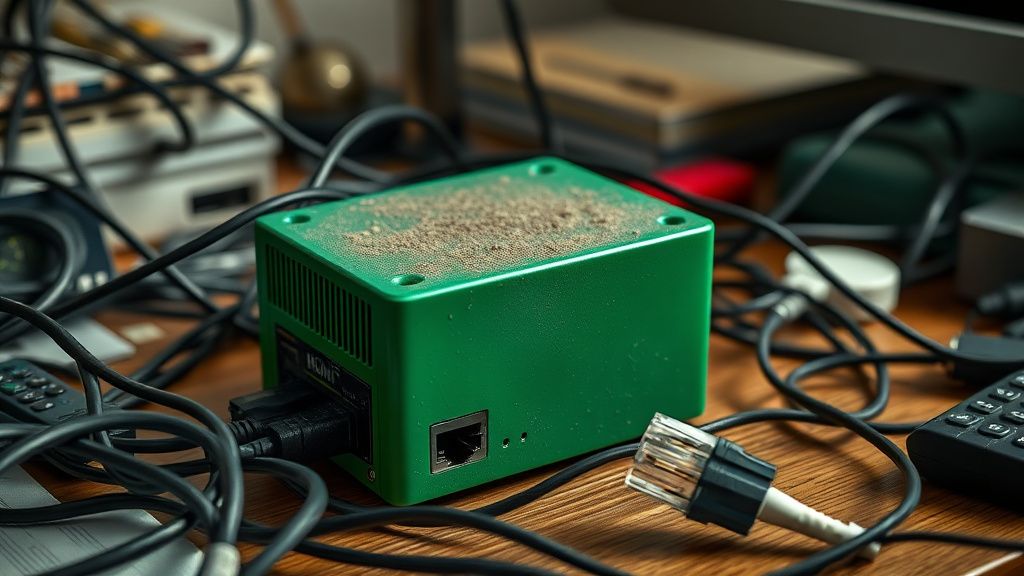
The fundamental contradiction of the Zigbee standard (IEEE 802.15.4) is that it lives in the same 2.4GHz spectrum as Wi-Fi and Bluetooth. When I tear down a customer's setup, the first thing I look for is the physical placement. Users often shove their HA Green inside a media cabinet, tucked behind a steel TV mount.
Operational Reality Check: Steel and concrete are death sentences for 2.4GHz radio waves. If your Home Assistant is behind a wall or inside a metal box, the signal attenuation is not just a minor issue—it's a complete failure of the mesh.
- The Channel Conflict: If your Wi-Fi is on channel 6, and your Zigbee is on channel 11, you are in a permanent state of packet collision.
- The Extension Cable Factor: The internal USB 3.0 controller on your hub creates electromagnetic interference that kills the radio sensitivity of the Zigbee chip. If you aren't using an active USB extension cable, you are sabotaging your own radio range before you even start.
The Mesh Routing Table: A Fragile Construct
One of the most persistent frustrations I see on Reddit’s r/homeassistant or the official community forums is the "Ghost Node" phenomenon. Users delete a bulb, but the ZHA integration still thinks it’s there, cluttering the routing table.
When your HA Green drops devices, it’s often because a "parent" router (a mains-powered plug) has died or was power-cycled, and the "child" devices (battery-powered sensors) don't know how to find a new route, which can lead to issues similar to when Zigbee smart plugs won't pair. This is where the, "It worked fine for three months and now everything is broken" narrative comes from. It isn't a software bug—it's a routing table that reached its capacity for intelligent re-routing.
Field Report: The "Power-Cycle Trap"
I once worked on a client’s setup where they had 45 Zigbee devices. Every time the microwave ran, half the sensors in the kitchen would go "Unavailable."
We spent four hours debugging. I replaced the coordinator, re-flashed the firmware, and even checked the logs via the Home Assistant developer tools (which, by the way, are the only place where the actual truth lives). The culprit? A cheap, non-certified smart plug that wasn't acting as a proper repeater, but rather a "sink" that dropped packets whenever the electromagnetic field shifted.
The industry reality is that Zigbee compliance is a suggestion, not a law. Manufacturers skip the expensive certification, leading to devices that speak the protocol with a thick "accent" that the Home Assistant coordinator struggles to interpret under load.

How to Diagnose Through the ZHA Visualization Tool
Do not trust the dashboard cards. The UI is a lie; it’s a filtered abstraction. When you face connection drops, navigate to Settings > Devices & Services > Zigbee Home Automation > Configure > Visualization.
If your "mesh" looks like a spiderweb where every device connects directly to the coordinator, you have a bad network architecture. You want a tree-like structure where mains-powered devices act as routers. If you see a cluster of red lines (failed check-ins) to a single device, that device is your "poison pill." Remove it, reset it, and re-pair it.
"Most people spend their time trying to fix the coordinator, when in fact, one cheap, poorly shielded motion sensor is flooding the network with junk packets and causing the whole house to go dark." — Common sentiment on the HA Discord troubleshooting channels.
The Hard Reset: When and How?
There is a persistent rumor that resetting the Zigbee radio is a "nuclear" option. It isn't. It is, however, a massive inconvenience because you have to re-pair every single device. But if your routing table is corrupted, there is no "repair" command that will fix it.
The Pro-Tier Procedure:
- Back up your configuration. (Seriously, do it.)
- Delete the ZHA integration. This flushes the NVM (Non-Volatile Memory) of your Zigbee radio.
- Perform a full power cycle. Remove the power from the HA Green for at least 60 seconds.
- Re-add the integration. If the radio was "stuck" in a state of high-interference re-tries, this gives it a clean slate.
Counter-Criticism: Why Modern Software Can't Fix Bad Hardware
There is a strong push in the community to blame Home Assistant’s software updates for Zigbee drops. While it is true that core migrations (like the transition to the new ZHA/Zigbee2MQTT drivers) can cause instability, the blame is often misdirected.
The reality is that Scaling Issues are the main villain. Most users start with 5 devices and everything is "fast and snappy." Then they hit 60+ devices, and suddenly the "Green" hardware struggles to manage the overhead of the Zigbee stack alongside the SQLite database writes of the primary Home Assistant OS.
When the CPU spikes, the radio timing shifts. When the radio timing shifts, your devices miss their "check-in" windows. It is a cascading failure, not a software bug.
Scaling Challenges and Fragmentation
The market is currently fragmented between ZHA and Zigbee2MQTT. If you are a power user, you have likely read the debates on GitHub Issues. The conflict is simple: ZHA is integrated and "easy," but Zigbee2MQTT offers better visibility into the raw packet flow.
If you are dealing with constant drops, moving to Zigbee2MQTT is not a "magic fix," but it is a "diagnostic fix." It forces you to look at the MQTT logs. If the logs show LQI (Link Quality Indicator) dropping consistently, you don't need a firmware update—you need a repeater.
Why Adoption Friction Remains High
Why are we still here, fiddling with radio channels in 2024? Because the "Smart Home" industry is obsessed with selling devices, not building infrastructure. A consumer buys a Home Assistant Green thinking it’s a consumer appliance like an iPhone. But it’s closer to a Linux server. The operational friction—the need to understand LQI, RSSI, and channel overlap—is the "hidden tax" of local-first automation.
Why do my bulbs disappear from Home Assistant but still work in their native app?
This usually points to a "Coordinator Overload." The native hub has specialized firmware that knows how to handle the specific "chatter" of those bulbs. Home Assistant uses a generic driver. If the signal is weak, the native hub might be more forgiving of packet loss than the HA coordinator. Check your interference levels.
Is the Home Assistant Green hardware underpowered for large Zigbee networks?
It is perfectly capable of handling 50-100 devices, provided they are well-distributed. If you have 50 devices all trying to route through a single, poorly positioned smart plug, the CPU load for the ZHA stack will rise significantly, leading to the perception of it being "underpowered."
Should I move to Zigbee2MQTT to stop the drops?
Only if you have the technical stomach for it. Zigbee2MQTT doesn't inherently make the radio signal stronger, but it provides significantly better logs. If you need to know why a device dropped (e.g., "Device left the network" vs "Device failed to check in"), the logs will tell you.
What is the best way to handle "Ghost Nodes" in ZHA?
Don't just click "Remove" in the UI. Ensure the device is powered off, then use the "Force Remove" option in the device entity configuration. Afterward, it is highly recommended to restart Home Assistant to clear the cache of the database entities that might be dangling.
How do I know if my Wi-Fi is interfering with my Zigbee network?
Download a Wi-Fi analyzer app on your phone. If you see high-power Wi-Fi signals on channels 1, 6, or 11, look at your Zigbee channel. If you are on Zigbee channel 15 (which overlaps with Wi-Fi channel 1), you are definitely suffering from interference. You will likely need to change your Zigbee channel, which unfortunately requires a full re-pair of all devices.
Final Thoughts on the "Green" Ecosystem
Fixing drops on a Home Assistant Green isn't about finding the one "perfect" setting. It’s about managing the environment. If you want a system that just works, you have to treat the physics of your home with the same seriousness as the software configuration. Keep the coordinator away from noise, keep the mains-powered nodes spread out like a spiderweb, and never underestimate the power of a simple, boring USB extension cable to save your entire automation stack.
The industry will keep promising "seamless integration," but until the physics of radio waves changes, the "expert" way to run a home is to treat your hub like the sensitive, temperamental piece of radio engineering that it actually is.
Bu makale affiliate linkleri içermektedir.