The Eufy X10 Pro Omni is a marvel of consumer-grade robotics, but let’s be honest: it’s held together by proprietary firmware, sensitive optical sensors, and a prayer to the cloud gods. When your unit stops dead in the middle of a cleaning cycle and flashes "Lidar Error 26," you aren't dealing with a "smart" malfunction—you’re dealing with the messy intersection of high-precision laser telemetry and the chaotic reality of a dusty living room floor.
Error 26 is the vacuum’s way of saying it has lost its mind, often leading to navigation and sensor issues. Technically, it means the Laser Distance Sensor (LDS) motor has stalled, is obstructed, or the encoder isn't reporting back the expected RPMs. After fifteen years of tearing these things down, I can tell you that 90% of these cases aren't hardware failure—they’re environmental friction or firmware overreaction.
The Mechanics of Failure: Why LDS Systems Stall
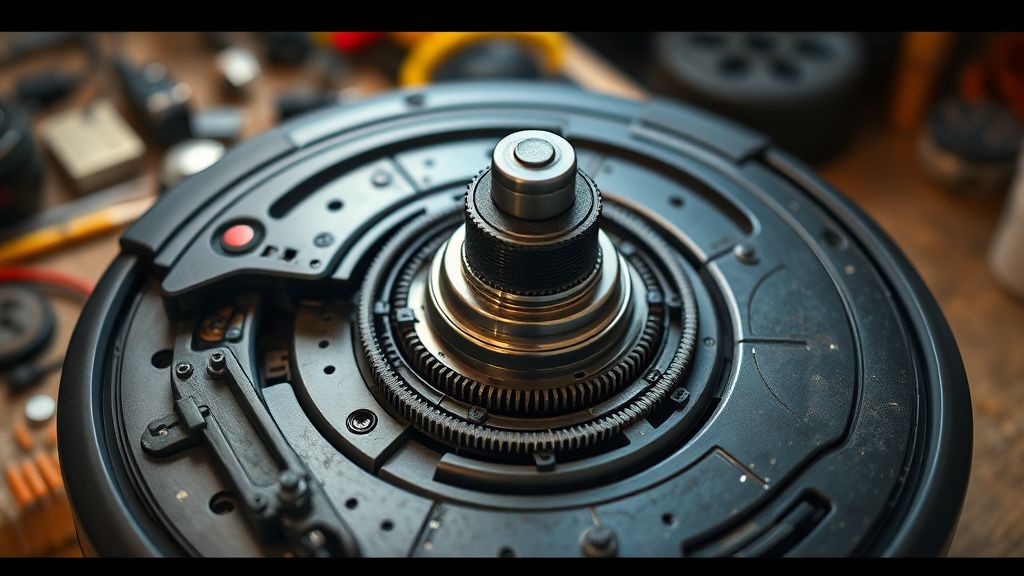
The LDS turret on the X10 Pro is a high-speed assembly. It spins at a constant rate, firing infrared pulses and timing their return to build a 2D map of your home. If that rotation is hindered by even a fraction of a millimeter—a piece of stray hair, a clump of dust, or even a microscopic piece of debris caught under the dome—the motor controller detects a spike in current or an out-of-sync encoder reading.
This triggers Error 26. In the eyes of the Eufy firmware, a stalled motor is a critical safety event. It shuts down the laser to prevent a burnout or, more likely, to avoid mapping an entire house based on "hallucinated" data points.
The "Quick Fix" Reality Check
Don’t dive into the screwdriver set just yet. Most of these "errors" (which often leave the unit stuck due to obstacle errors) can be cleared through a forced reboot or a physical cleaning of the turret perimeter.
- The Hard Reset: Power the unit down fully. Don't just stop the cleaning; hold the power button until the LEDs cycle through their boot sequence.
- The Turret Spin Test: With the power off, gently rotate the lidar turret with your finger. It should spin freely with a slight, consistent magnetic resistance. If you feel "gritty" resistance, you have debris in the race.
- The Compressed Air Protocol: Use a can of compressed air—do not use an air compressor, as you’ll strip the delicate optics—to blast the gap between the turret and the stationary housing.
Dissecting the Architecture: Firmware vs. Hardware
The industry is shifting toward "Software-Defined Robotics," where the manufacturer can patch a navigation bug with an OTA (Over-the-Air) update. However, this has created a major friction point. On forums like the Eufy subreddit and various Discord technical support channels, users often report Error 26 appearing immediately after a firmware update.
Is it a hardware failure? Often, no. It’s an overly sensitive polling rate in the new firmware that expects a more precise RPM than the aging motor can provide. This is the "scaling problem." When you have a fleet of millions of units, the manufacturing variance in motor torque becomes an edge-case headache for software engineers who aren't sitting on your floor watching the bot struggle under your dining room chair.
Real Field Reports: The "Ghost" Errors
I’ve spent hours on tech-support threads watching users chase their tails. One specific case on a developer mailing list involved a user who moved their X10 Pro from a carpeted room to a hardwood area. The vibration of the unit on hard surfaces, combined with a slightly misaligned turret gear, caused the LDS encoder to skip beats.
The software interprets this "noise" as a blockage. The "Workaround Culture" that emerges here is fascinating: users resort to wrapping the turret in thin teflon tape or lubricating the races with silicone grease—moves that are strictly outside of the warranty manual but are often the only things that get the unit back to work.
Community Backlash and the Trust Gap
The frustration is palpable. When a user spends $700+ on a device, they expect it to be a "set-it-and-forget-it" appliance. Instead, they find themselves acting as amateur roboticists. The Eufy support tickets for Error 26 are notorious for their robotic responses: "Please restart your device and ensure the area is clear."
This is where the trust erodes. When a company treats a systemic design limitation (like an LDS motor sensitive to ambient dust) as a user error, the community begins to fracture. You see it on GitHub issues and unofficial support hubs: a transition from "How do I fix this?" to "How do I bypass this check?"
Deep Technical Analysis: Lidar Calibration and Sensor Drift
If physical cleaning doesn't solve the Lidar Error 26, you are likely looking at sensor drift. Over time, the laser’s emitter/receiver alignment can shift due to thermal expansion (the unit running for 90 minutes generates heat that can warp cheap plastic housing).
The X10 Pro uses a Slam (Simultaneous Localization and Mapping) algorithm that relies heavily on the consistency of this data. If the Lidar provides "garbage" data, the bot will start slamming into walls or orbiting in place. The Error 26 is the circuit breaker designed to save the map integrity.
The "Broken Promises" of Autonomous Cleaning
The marketing hype around the "Omni" station and autonomous maintenance hides the reality: the machine is still a robot living in a messy, human environment. We design these machines for sterile laboratory conditions but force them to navigate under cat-hair-covered sofas.
The economic reality is that for Eufy to remain competitive, they have to use cost-effective motors. If they used industrial-grade brushless motors for the lidar, the unit would cost double. You are buying a high-performance device built on a mid-range budget. Error 26 is the literal manifestation of that compromise.
Troubleshooting Logic: A Step-by-Step Recovery
When you reach the stage where the standard manual steps fail, you have to move into the "Grey Market" of repairs.
- Check for "Hair Winding": Inspect the underside of the lidar dome. You’ll need a precision screwdriver to pop the top cover. Often, a tiny strand of dog hair has wrapped around the internal drive belt.
- Encoder Calibration: Some advanced users use the Eufy debug port to pull telemetry logs, checking if the sensor's frequency is deviating from the 300ms polling window. If you see a consistent drift, you likely need a new LDS motor module.
- The "Tape" Method (Advanced/Risky): Some owners have found success by adding a tiny piece of black electrical tape on the interior of the housing to block "ghost" reflections that occur when the laser hits the plastic dome at an angle, effectively "blinding" the sensor.
The Future of LDS Reliability
Will this get better? Probably not until we move to solid-state lidar that doesn't require a physical spinning turret. Until then, these mechanical points of failure will persist. The industry is stuck between needing high-fidelity maps for obstacle avoidance and the harsh, dusty reality of home life.
FAQ
Is Error 26 always a hardware failure?
Should I open the robot if it's still under warranty?
Can a firmware update actually cause this?
Why does my robot work for 10 minutes then throw the error?
What is the best way to clean the Lidar without damaging it?
The reality of living with a smart vacuum is that you are essentially acting as a field technician for your own cleaning staff. Don't let the marketing polish fool you; when the Error 26 appears, you’re just witnessing the inevitable friction between a high-precision laser and a stray piece of dust. Stay calm, clean the race, and keep your maintenance routine tighter than the factory specs. If the machine keeps failing, know that the system, not you, is the one having the identity crisis.