If your Home Assistant Green is stuck at the boot stage—indicated by a solid red power LED or a flashing heartbeat that never transitions to the steady state—you are likely dealing with a corrupted eMMC partition, a botched Over-the-Air (OTA) update, or a power delivery failure. First, verify your power supply provides a clean 12V 1A output, then proceed to re-flash the OS using the Home Assistant rescue method via an external computer.
The Anatomy of a Brick: Why Dedicated Hardware Fails
The Home Assistant Green (HA Green) was designed to lower the barrier of entry for local automation. Unlike a DIY Raspberry Pi setup, it abstracts away the Linux kernel and kernel modules. However, abstraction is a double-edged sword. When a user sees a "bricked" Green unit, they aren't looking at a hardware defect 90% of the time; they are looking at the fragility of an embedded system running a complex SQLite database that is constantly being written to.
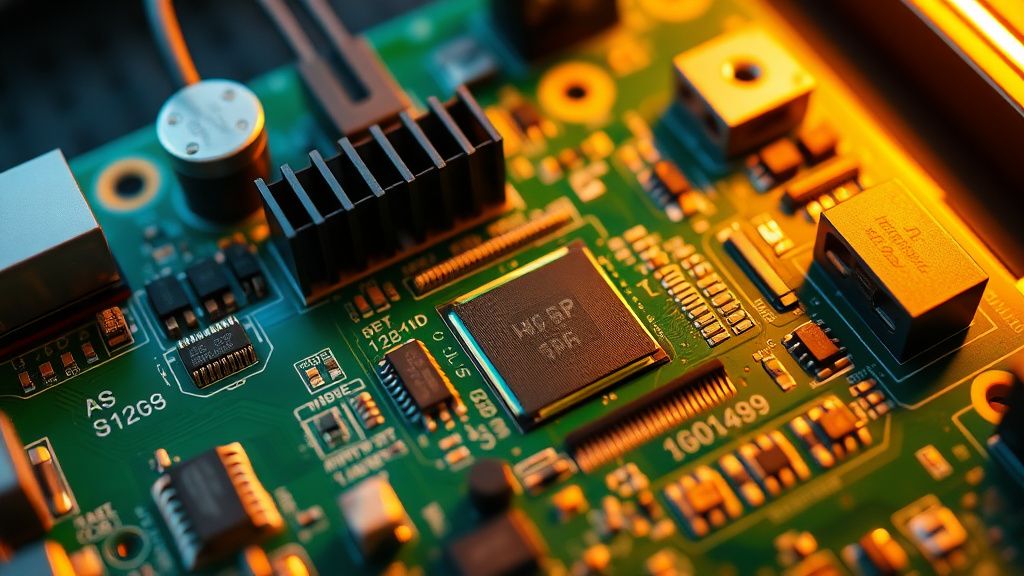
In my 15 years of bench work, I’ve seen thousands of these boards. The "Green" is essentially an RK3566 SoC paired with 32GB of eMMC storage. The most common point of failure? The power cut during a database migration. Home Assistant is a heavy-write environment. If you pull the plug while the Recorder integration is flushing logs to the eMMC, the partition table—or worse, the bootloader environment—can corrupt.
Power Supply Volatility and Operational Realities
Before you start tearing into software, look at the wall. The Green is sensitive to voltage sag. A standard 12V power supply that came in the box might look identical to a generic CCTV adapter you have in your junk drawer, but the ripple current matters. If your power supply is noisy, the RK3566 SoC will occasionally hang during the post-init sequence, leading to a "zombie" state where the LED stays lit but the network interface (NIC) never initializes, much like when a Philips Hue Bridge won't connect.
- The Multi-Meter Test: Don't trust the label on the power brick. Put a load-tester on the barrel jack. If it drops below 11.8V under load, your boot sequence will fail periodically.
- The USB Hub Variable: Are you powering a SkyConnect or a Z-Wave stick directly from the Green’s USB port? These accessories are often linked to issues, such as when Home Assistant Green Zigbee devices keep dropping off. If the power draw spikes while the eMMC is mounting, you get a brownout. Use a powered USB hub for your radio dongles.
The Recovery Workflow: Beyond the Standard Documentation
When the GUI is unreachable and the local network scan returns nothing, you are in "Rescue Mode" territory, facing a similar challenge to when a SmartThings Hub V3 goes offline. The official Nabu Casa documentation is clean, but it ignores the messiness of real-world networking.
- Preparation of the Host: You need a secondary machine. Don't try this from a mobile device. You need a stable USB-to-Ethernet connection or a direct Ethernet link to the Green.
- The Bootloader Interrupt: You must trigger the eMMC bootloader to enter recovery. On the Green, this usually involves the "Maskrom" mode. If you’ve reached this point, you have already exceeded the comfort level of 90% of users.
- The Persistence Factor: The most frustrating issue I see on the Home Assistant community forums (and on Reddit’s r/homeassistant) is the "Boot Loop" that persists after a re-flash. If you re-flash and it dies again within 48 hours, the eMMC chip has likely developed bad blocks. Flash memory has a finite number of write cycles, and home automation is a "write-heavy" task.
Analyzing the "Update Trap"
The biggest driver of failure isn't bad hardware; it’s the update cycle. Every time Home Assistant pushes a core update, it modifies the configuration schema. If you are running dozens of custom integrations via HACS (Home Assistant Community Store), you are introducing variables that the Nabu Casa team cannot account for.
When a user complains that "the update bricked my Green," they are usually conflating a system-level failure with an integration-level crash. If the Home Assistant core doesn't boot, it’s a system issue. If the core boots but the dashboard is blank, that’s a Python dependency hell issue. Understanding this distinction saves you hours of unnecessary re-flashing.
Counter-Criticism: Is the Hardware Sufficient?
There is a growing debate in the community about whether the Green is "underpowered" for large-scale setups. Critics argue that the 2GB of RAM is sufficient for light use, but once you add Camera entities, high-frequency Zigbee polling, and multiple media players, the swap file usage on the eMMC skyrockets.
Proponents argue that the Green is a "managed experience." If you want to run Frigate for object detection or a full Plex server alongside Home Assistant, you shouldn't be using a Green. You should be on an NUC or a refurbished OptiPlex. The failure of the Green in these scenarios isn't a defect; it's a "use-case mismatch." The marketing often hides the fact that a "smart home" grows in complexity exponentially, not linearly.
Troubleshooting Network Fragmentation
Sometimes the Green is booting perfectly, but your router has decided to purge the DHCP lease. I’ve seen this on mesh systems (like Eero or TP-Link Deco) where the device is seen as a "new" client after every reboot. If you are using static IPs, you might be suffering from an IP conflict caused by a previous reservation that didn't clear.
- Step 1: Ping the IP. If there’s no response, move to an IP scanner like
nmaporFing. - Step 2: Check the ARP table of your router. If the MAC address is there, the device is up. If it’s not, you have a physical layer issue (Ethernet cable, switch port, or the Green’s internal NIC driver hung).
The "Workaround" Culture
Because Home Assistant users are generally tinkerers, the "workaround culture" often leads to more damage. People start soldering pins onto the board to access the serial console (UART). While this is great for debugging the kernel log, it voids your warranty. Before you reach for the soldering iron to see what the Linux kernel is complaining about, realize that 99% of boot issues are resolved by the "restore from backup" protocol.
If you are not making daily backups to an external SMB share or Google Drive, you are not doing home automation; you are playing a game of Russian Roulette with your thermostat and light switches.
Why does my Green show a red light even after I re-flashed it?
A solid red light often indicates a power supply deficiency. Even if the device appears to turn on, the SoC might be failing to initialize the high-speed bus required for the eMMC. Try a known-good 12V 1.5A power adapter before assuming the mainboard is dead.
Is it safe to leave the Green powered on 24/7?
Yes, but with a caveat. The unit generates heat. If you have it placed inside an enclosed server cabinet with poor airflow, the thermal throttling will slow down database writes, increasing the risk of data corruption during a system crash. Keep it in a ventilated area.
Can I replace the eMMC storage if it dies?
No. The storage is soldered directly onto the PCB. This is the primary trade-off for the compact "Green" form factor. If the storage chip fails, the unit is effectively e-waste. This is why off-site backups are not optional.
Why does my Home Assistant dashboard show "Failed to connect" even when the green light is on?
This usually means the Home Assistant OS has booted, but the supervisor container is stuck. Check your router's client list. If the IP is there, try accessing the terminal via SSH (if enabled) or use the local console via HDMI to check the
ha core logsfor Python import errors.
Should I move to a Raspberry Pi instead?
Moving to a Pi provides more flexibility for hardware upgrades (like SSDs via USB), but it brings its own set of problems, specifically regarding SD card corruption. If you want reliability, move to an x86-based system (Mini PC) with an actual M.2 SSD.
Final Thoughts on Hardware Longevity
The Home Assistant Green is a sophisticated appliance, but it is not an industrial controller. It is a consumer-grade bridge between your intent and the reality of your home. Its greatest weakness is its simplicity—it hides the complexity until the moment it fails, leaving the user with a "black box" that requires specialized knowledge to crack open. Treat it as a delicate piece of infrastructure, manage your expectations regarding its processing limits, and for the love of sanity, keep your YAML backups off the machine itself. The moment you stop trusting your hardware is the moment you start building a resilient network.
Bu makale affiliate linkleri içermektedir.