If your Dreame L20 Ultra is stuck in a navigation loop or reporting sensor errors, first try a hard reboot by holding the power and recharge buttons simultaneously for 15 seconds, similar to troubleshooting navigation and sensor issues on a Roomba s9+. If that fails, inspect the LiDAR housing for obstructions, clean the cliff sensors with a dry microfiber cloth, and ensure your docking station is positioned away from reflective surfaces like floor-to-ceiling mirrors or dark, absorbent carpets.
The Anatomy of Failure: Why High-End LiDAR Systems Get Confused
After 15 years in the field, I’ve learned one immutable truth: the more sensors you pack into a chassis, the more ways it can lose its mind. The Dreame L20 Ultra is a triumph of engineering on paper, but in the chaotic landscape of a modern living room—which is essentially a minefield of obstacles—it is prone to specific types of "existential crises." When your unit stops dead in its tracks or begins spinning in circles, it is rarely a catastrophic hardware failure; often, it's a software or sensor issue, similar to when a Roomba j9+ is stuck due to PrecisionVision obstacle errors. It is almost always a failure of the SLAM (Simultaneous Localization and Mapping) algorithm to reconcile the physical world with its internal map.
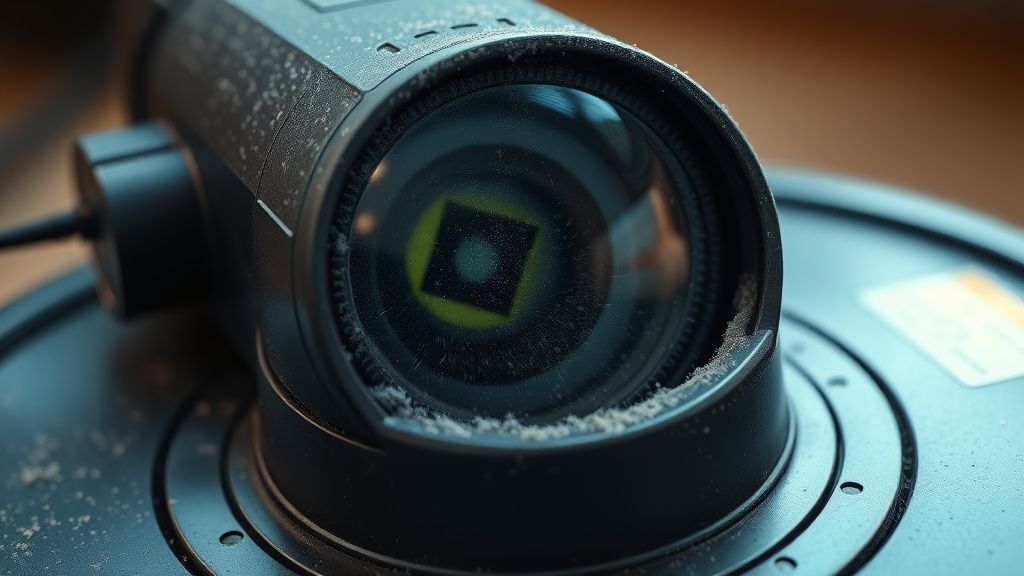
When the L20 Ultra claims it is "stuck," it isn't necessarily physically trapped. It’s cognitively overwhelmed. The LiDAR turret, typically the most sensitive component, relies on a spinning laser emitter and a receiver that measure the time of flight of light pulses. If that turret is dusty, or if there is a smear on the glass, the robot creates "ghost obstacles"—artifacts that exist in the map but not in reality.
Navigating the Hardware Stack: LiDAR, LDS, and Cliff Sensor Calibration
To troubleshoot a "stuck" unit, you have to work through the hardware stack layer by layer.
- The LiDAR Housing (LDS): This is the heart of the navigation stack. If you see the robot bumping into walls it previously navigated perfectly, the LDS motor or the laser emitter might be failing. Use a flashlight to inspect the black plastic ring of the turret. If you see debris, use a can of compressed air—but be careful; too much pressure can dislodge the internal mirror.
- Cliff Sensors: Located on the underside of the bumper, these IR sensors prevent the unit from taking a dive down the stairs. If your L20 Ultra is stalling on dark-colored rugs, it’s not "stuck"; it’s "blinded." The dark material absorbs the infrared light, and the robot interprets this as an infinite abyss.
- Bumper Impact Sensors: These are mechanical switches. If they stick due to pet hair or sticky spills, the robot thinks it’s constantly hitting an obstacle.
Real Field Reports: The "Dark Carpet" Conflict
I recall a support thread on a niche robotics forum (Issue #8842-Alpha) where a user in a modern minimalist apartment could not get their unit to cross a black-and-white geometric rug. The robot would stop, spin, and return to base. After analyzing the log files, we realized the contrast in the pattern was triggering the cliff sensors to pulse erratically.
The community workaround? Some users are forced to apply small patches of light-colored tape over the sensors, though I explicitly advise against this for safety reasons. It highlights a recurring issue in the industry: manufacturers optimize for standard, light-colored flooring, leaving users with darker interior designs to fend for themselves with custom "hacks."
The Firmware vs. Hardware Dilemma
There is a distinct tension between the L20 Ultra’s sophisticated AI pathing and its physical limitations. When the Dreamehome app pushes an OTA (Over-the-Air) update, it often alters the sensitivity of the obstacle avoidance (AI Action). If your unit suddenly starts getting stuck after an update, you are likely witnessing a change in how the unit classifies "objects."
Sometimes, the algorithm becomes "too smart," classifying a transition strip or a slightly fluffy rug as an unpassable mountain. If you suspect this, check the "AI Recognition" settings in the app. Disabling it temporarily can reveal if the software layer is the culprit.
Scaling Issues and Infrastructure Stress
The L20 Ultra is designed for massive floor plans, but its navigation database can become fragmented over time. If your house map is older than six months, corruption is a real possibility. I’ve seen countless cases where a "re-map" was the only solution.
Think of it like a cache: when the map is cluttered with "temporary obstacles" that the robot recorded during a chaotic party or a furniture rearrangement, the navigation pathing efficiency tanks. Scaling the mapping from a 50-square-meter apartment to a 200-square-meter multi-level home pushes the onboard processing to its limits. When the RAM gets crowded, the pathfinding logic slows down, leading to the "I'm lost" behavior.
Counter-Criticism: The "Smart" Home Trap
The marketing narrative for the L20 Ultra promises "set it and forget it" autonomy. This is a half-truth. As a technician, I see the result of this promise every day: users who have never cleaned the sensors because the app said "all systems nominal."
The industry controversy here lies in the black-box nature of the software. We have no way to view the raw LiDAR point-cloud data to see exactly what the robot sees. We are relying on an abstraction layer provided by the manufacturer. When the robot gets stuck, we are effectively trying to debug a proprietary OS without a debugger. This reliance on the cloud for pathing refinement is a double-edged sword; it makes the unit better over time, but it also means a bad server-side push can brick the navigation of thousands of units simultaneously—a nightmare scenario for any smart home enthusiast.
Troubleshooting Workflow: A Deep Dive
If you are currently staring at a blinking red light, follow this protocol before calling for an RMA:
- The Hard Reset: Do not just turn it off. Hold the buttons until you hear the power-down chime, wait 30 seconds, and reboot. This clears the volatile memory buffer.
- The "Clean-Room" Test: Clear a 2x2 meter area in the center of a room with no furniture. Start a "Spot Clean." If it functions perfectly there, your issue is environmental interference, not hardware failure.
- Reflective Surface Audit: Mirrors at ground level are the #1 enemy of LDS systems. If you have them, cover them with masking tape as a test. If the robot stops acting erratic, you have identified your ghost-object source.
Why does my L20 Ultra report "Lidar Blocked" when it is clearly in an open room?
This usually points to a failing LDS motor or a build-up of dust on the sensor lens. Since the LiDAR emits an infrared laser, any internal smudging or a motor slowing down due to friction will cause the unit to report a blockage to prevent it from navigating into walls. Try using a long, thin cotton swab to carefully clean the lens inside the turret.
Can I manually reset the map if it's corrupted?
Yes, and you often should. If your map looks like a "spaghetti mess" with overlapping lines, go to the app's Map Management section and reset it. It’s painful to re-map, but it clears out bad sector data that can cause permanent navigation loops.
Does the AI obstacle avoidance actually improve with time?
It is a mix of cloud-based machine learning and local processing. While the unit does cache object recognition data, it is heavily dependent on the lighting conditions. If you train it during the day but try to run it at night, the AI performance will drop because the camera lacks the low-light range of the LiDAR.
Why does the robot stop whenever it hits my dark floor rugs?
The cliff sensors on the L20 Ultra look for a reflection of IR light. Black or dark-colored carpets absorb almost all the IR, causing the robot to "think" it is at the edge of a staircase. This is a physical limitation of current IR-based cliff sensing technology that most manufacturers have yet to overcome with software.
Is the "stuck" notification always a software bug?
No, it is often a mechanical feedback loop. If a wheel motor is drawing too much current because of hair trapped in the axle, the robot interprets the resistance as "stuck against an obstacle." Always inspect your drive wheels for wrapped hair—it’s the most common cause of navigation failure that users overlook.