Quick Answer: The Dreame L10s Ultra dock station stops flushing water when the clean/dirty water tanks are empty or full, the flush valve is clogged with mineral buildup, the dock's internal pump has failed, or the auto-empty bag is blocking airflow. Most cases resolve with a manual rinse, descaling the valve seat, or a firmware-forced flush cycle reset.
There's a specific kind of frustration that comes with a self-cleaning robot vacuum dock that refuses to clean itself, a problem often shared by users of other brands, such as when a Roborock Q Revo isn't cleaning mops. You spent real money — we're talking north of $700 on the L10s Ultra system — specifically so you wouldn't have to crouch on the floor scrubbing mop pads. Then one morning the dock just… sits there. The spinning brushes look damp but not washed. The water tanks haven't moved. The status light is calm and unbothered. Nothing got flushed.
This happens more than Dreame's marketing materials would suggest.
The L10s Ultra dock is genuinely ambitious hardware. It's trying to handle auto-empty dust collection, mop washing, mop drying, and clean/dirty water cycling in one enclosure that most people shove under a cabinet or in a corner where they never have to think about it. That ambiguity — "set it and forget it" — is exactly where maintenance failures breed. Users don't inspect the dock because it's supposed to manage itself. Then three months pass, mineral scale has quietly choked the flush valve, and now you've got a robot that's been dragging a faintly dirty mop across your floors for weeks without you knowing.
Let's break down what's actually happening mechanically, where the failure points are, and what you can actually do about it.
Understanding the Dock's Internal Water Flow Architecture
Before you start pulling things apart, you need to understand what the dock is trying to do when it "flushes." This isn't a simple pour-and-drain. The L10s Ultra dock uses a two-tank system — one for clean water input, one for dirty water collection — combined with a small centrifugal pump and a gravity-assisted drain path.
When a flush cycle is triggered (either automatically post-clean or manually via the app), the sequence is roughly:
- Clean water pump activates, pushing water from the clean tank through an internal channel to the mop washing tray.
- The spinning mop pads make contact with the tray surface under water pressure, mechanically scrubbing debris loose.
- Dirty water flows by gravity (and slight negative pressure assistance) into the dirty water tank via a drain valve at the base of the tray.
- A final rinse-and-spin cycle attempts to centrifuge excess moisture off the pads before the drying heater activates.
The failure can happen at literally any point in that chain, leading to frustrating water flow issues common across many robot vacuum systems, similar to Roomba Combo j9+ Error 33 water flow problems. And because the dock doesn't have granular internal sensors reporting which stage failed — it just reports "cleaning complete" or an error code — diagnosing it from the outside requires some actual deduction.
The Most Common Failure: Mineral Scale on the Flush Valve
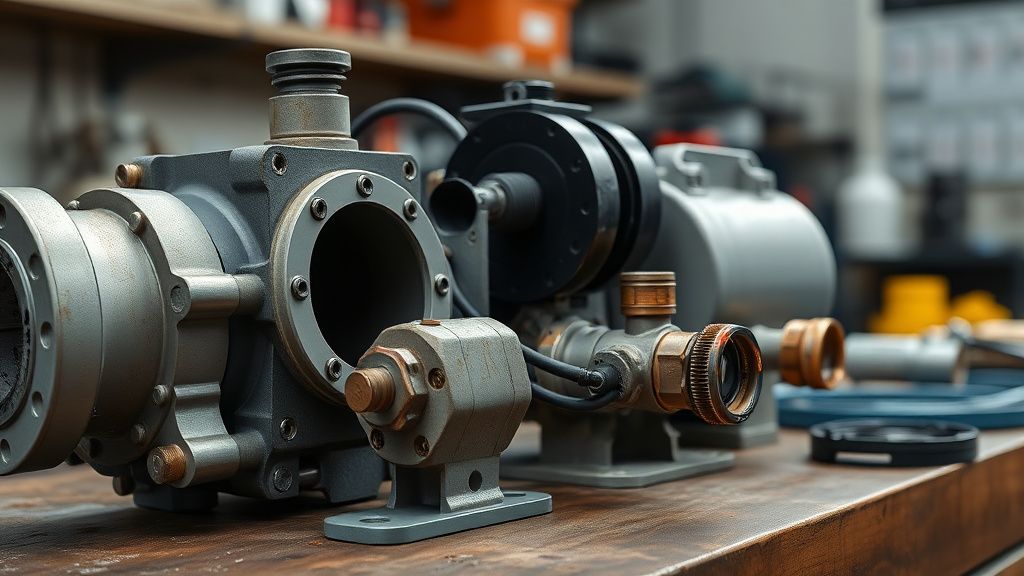
If you're using tap water — which most people are, because who's filling a robot vacuum dock with distilled water — you're depositing calcium and magnesium carbonate every single time the dock runs. The flush valve is a small rubber-seated check valve that controls water release into the mop tray. Over time, even moderate tap water hardness will deposit a thin ring of scale on that valve seat.
The valve doesn't fail dramatically. It doesn't crack. It partially occludes. Water flow drops below the threshold needed to effectively wash the pads. From the outside, the dock still "runs" a flush cycle. The pump still activates. But the actual water delivery is insufficient, and the pads come out with surface moisture but not genuinely clean.
How to address it:
- Remove the clean water tank and the dirty water tank. There's usually a small access panel or the mop tray itself lifts out — consult the physical manual, not the app, which is useless here.
- Locate the flush outlet nozzle inside the mop washing bay. It's typically a small plastic nozzle pointed toward the mop contact surface.
- Mix a 1:3 solution of white vinegar and warm water. Do not use citric acid descalers at full concentration — the rubber valve seat is not rated for aggressive acid, and you'll cause a secondary leak problem.
- Fill the clean water tank with the vinegar solution. Run a manual flush cycle from the app (Settings → Cleaning Station → Manual Cleaning, or similar — the exact menu path has shifted across firmware versions, which I'll come back to).
- Let the vinegar solution sit in the system for 20 minutes after the cycle runs without draining.
- Run two plain-water flush cycles to purge the vinegar.
This addresses maybe 60% of "dock not flushing" cases in hard-water regions. If you're in London, Phoenix, or anywhere with water hardness above 200 ppm, you should be doing this every 6-8 weeks. Not because Dreame tells you to — they don't, prominently — but because physics doesn't care about warranty documentation.
The Dirty Water Tank Full Condition — And Why the Sensor Lies Sometimes
The dock has a float sensor in the dirty water tank that should halt flushing when the tank is full. This is a basic safety mechanism. But there's a known and widely-reported behavior where the float sensor gives a false-full reading even when the tank has significant capacity remaining.
The mechanism: dirty water from mop washing carries fine debris, hair, and detergent residue (if you're using any). This residue coats the float sensor over time. The float physically sits lower than it should, triggering the "tank full" cutoff prematurely. The dock interprets this as a full dirty tank and refuses to flush.
Reddit threads in r/Dreame and r/RobotVacuums have documented this repeatedly. One thread from late 2023 titled something like "L10s Ultra dock stopped flushing, dirty tank isn't full, wtf" accumulated a few dozen responses, the majority of which were variations of "clean your float sensor." The sensor itself is a small cylindrical float on a vertical rod inside the dirty tank. It takes about 30 seconds to wipe down with a damp cloth, but it's genuinely non-obvious that this is what's killing your flush cycle.
Operational check:
- Remove dirty water tank.
- Inspect the float — if there's any visible debris ring or slime around it, clean it.
- Make sure the float moves freely up and down the rod with no stiction.
- Reinstall and attempt a manual flush.
If the dock starts flushing normally after this, you found your problem. Keep the float sensor on your monthly maintenance checklist.
Firmware-Induced Flush Failures: The Software Problem Nobody Wants to Document
Here's where it gets messy in a different way.
The L10s Ultra's dock behavior is partially controlled by firmware, and Dreame has pushed updates that have — repeatedly — broken flush cycle triggering. This isn't speculation. The Dreame Home app community forum and several GitHub-adjacent discussions (particularly around the Dreame vacuum Home Assistant integration maintained by Václav Chaloupka, known as Tasshack) have documented cases where firmware updates changed the conditions under which an automatic flush triggers.
Post-update reports from late 2022 through 2023 described a pattern where the dock would complete a mopping run and return without triggering a flush, then show the cleaning station as "idle" with no pending action. Manual flush triggers from the app would sometimes work, sometimes silently fail with no error code returned.
The integration maintainers noted that the vacuum's MQTT reporting showed the cleaning station state as completed flush when it hadn't physically run one. This suggests the state machine in the firmware was marking the flush as done before it actually executed — a race condition or state management bug that was apparently not caught in QA because it only manifested reliably under specific conditions (certain floor types, certain mop saturation levels, specific return dock angle).
What you can actually do:
- Check current firmware version in Dreame Home app. As of mid-2024, Dreame had pushed multiple patches addressing cleaning station behavior.
- If you're on an older firmware version (check community channels — the Dreame subreddit and the Home Assistant Dreame integration GitHub issues are more reliable than Dreame's own changelog), force-update.
- If you're on the latest firmware and it broke something that worked before: welcome to the regression cycle. Document it, report it through the app's feedback mechanism (Settings → Feedback), and wait. The turnaround time on Dreame firmware fixes has historically ranged from weeks to several months.
- Workaround that actually works for many users: disable automatic flush in the app, then manually trigger flush via the app immediately after each mopping run. Tedious? Yes. Does it make the "self-cleaning" value proposition collapse into a mockery? Also yes. But it works.
The Dock Pump: When It's Actually Dead
If you've addressed scale, the float sensor, and firmware, and the dock still produces no water flow during a flush attempt — and you can hear the pump activate (a faint buzzing or whirring from the dock base) but see no water movement — the pump itself may have failed.
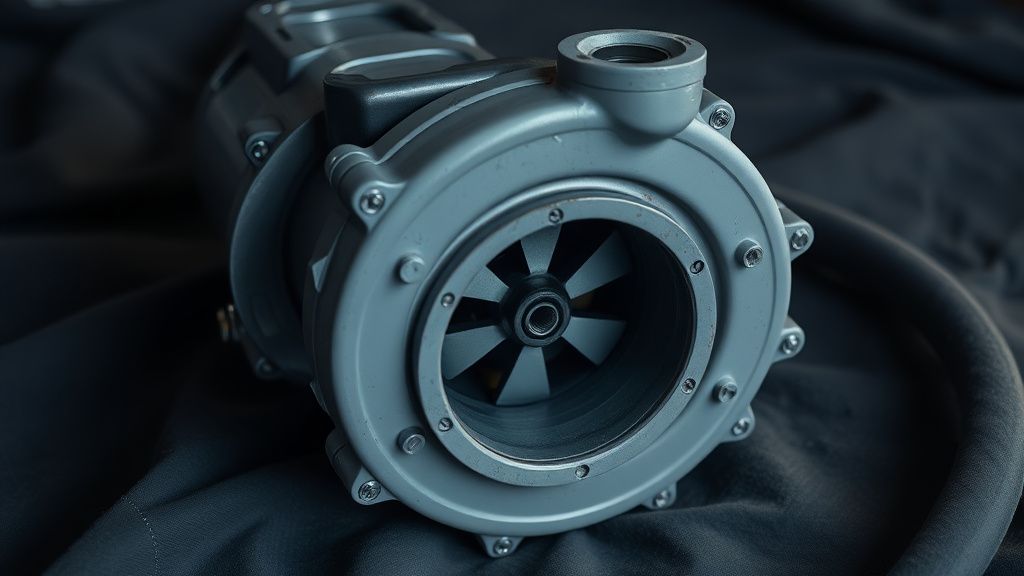
The pump in the L10s Ultra dock is a small 12V centrifugal pump, not a sophisticated component. It fails in two modes: mechanical seizure (debris jams the impeller) or electrical failure (brushes wear, capacitor degradation). Mechanical seizure is actually the more common one.
Diagnosis:
- Remove the clean water tank. Attempt a manual flush with the tank removed after immediately reinserting — sometimes briefly starving the pump clears an air lock.
- Listen carefully during flush: a pump attempting to run against a seized impeller produces a different sound than a pump running freely against a blockage — slightly higher-pitched, more labored, shorter in duration before the error state kicks in.
- If the pump is silent when it should be running, the issue is likely electrical or firmware-level, not mechanical.
Repair reality check: The pump is not a user-replaceable part in any official Dreame documentation. Sourcing a compatible replacement pump from AliExpress or similar channels is possible — the form factor and voltage specs are not exotic — but this voids warranty and requires disassembly that most users shouldn't be doing. If the unit is under warranty, this is a warranty claim. If it's out of warranty, the cost-benefit of repair versus replacement dock (Dreame sells dock stations separately) starts to get uncomfortable.
Auto-Empty Bag and Airflow: The Indirect Flush Killer
This one is less obvious. The dock's operations — dust collection, mop washing, drying — share a common control board and power budget. When the auto-empty bag is at or near capacity, the dock's airflow for drying is partially compromised. More importantly, there's a documented behavior where a completely stuffed auto-empty bag causes the dock's onboard controller to deprioritize or skip the wash cycle entirely, apparently as a "system busy/degraded" fallback.
This is not clearly documented anywhere in Dreame's user materials. It surfaced in support thread discussions and was confirmed by at least a few users who noticed flush cycles returning to normal after changing a full bag they hadn't realized was completely packed.
The check is simple: Pop open the dust bag compartment. If the bag looks full or feels firm and heavy, replace it before troubleshooting anything else. It takes 30 seconds and eliminates a variable.
Mop Pad Condition as a Contributing Factor
There's an underappreciated interaction between mop pad wear state and flush effectiveness. New mop pads have a consistent, slightly raised microfiber surface that makes good contact with the cleaning tray's water jets. Worn pads — after 30-50 wash cycles, depending on floor type and debris load — develop compressed, matted fibers that don't pick up water from the tray the same way.
The result: the dock runs a flush cycle, water enters the tray, the motor spins the pads, but the visual result is a pad that looks dirty even after washing. Users interpret this as "the dock isn't flushing properly" when the actual issue is pad degradation. The flush is happening. The wash is just insufficient because the tool is worn out.
Dreame's recommendation is to replace mop pads every 3-6 months. The actual functional lifespan in real-world conditions — pets, sandy floors, kitchen grease — can be shorter. This is one of the operational costs of the L10s Ultra that the marketing doesn't foreground but the hardware's performance depends on.
Real Field Reports
The failure mode spread in real user communities is worth documenting directly.
A user on the Home Assistant community forum described a scenario where the dock appeared to complete flush cycles per the app, but the mop pads were coming out visibly still soiled after mopping hardwood floors with cooking grease tracked from the kitchen. After weeks of troubleshooting, they discovered the flush outlet nozzle was 90% blocked with a combination of mineral scale and a small piece of paper towel fiber. The nozzle itself is a 2mm aperture. It doesn't take much to functionally block it.
Another report, from a Reddit thread in r/RobotVacuums, described the dock entering a loop state after a firmware update where it would attempt a flush cycle, fail silently, retry, fail again, and then log "cleaning complete" — giving the user no indication anything was wrong. They only discovered it because they physically watched the dock after a mopping session and saw the mop pads not getting wet.
A third pattern, documented in several Dreame support interactions shared publicly, involves the clean water tank not seating properly after refilling. The tank has a valve at the base that must engage with a pin in the dock housing. If the tank is slightly misaligned — which is easy to do if you're filling it quickly and dropping it back in — the valve doesn't fully open and water flow is negligible. The dock attempts the flush cycle, the pump runs, but essentially no water reaches the mop tray. This is probably the simplest fix of all and also the one that makes users feel the most foolish.
Counter-Criticism and the Honest Debate About Self-Cleaning Docks
There's a reasonable argument to be made that the entire "self-cleaning" dock concept is currently oversold at the hardware maturity level it's actually at.
The L10s Ultra dock is genuinely impressive compared to a basic dock. But the promise embedded in marketing language — "the dock handles everything" — creates user expectations that the hardware cannot fully meet without user intervention. Mineral management, sensor maintenance, pad replacement, bag changes, firmware instability — these are all real, non-trivial maintenance tasks that fall on the user. The dock reduces maintenance burden, but it does not eliminate it.
Some users argue this is an acceptable trade-off given the price point and the genuine time savings. Others — particularly those who bought in on the "fully autonomous" framing — feel misled when the dock requires as much attention as a fairly demanding household appliance.
The counter-counter-argument from more technical users is that expectations management is a user problem, not a product problem. "It says clean water weekly in the documentation" is a real response, even if that documentation is buried and the app doesn't surface it prominently. The tension between product ambition and maintenance reality is real, and the L10s Ultra dock lives directly in that tension.
What's not debatable: a dock that stops flushing produces a robot that is, by definition, tracking dirty mop water across your floors while reporting successful cleaning. The failure mode has actual hygiene consequences, not just inconvenience consequences. That stakes elevation is worth taking seriously.
Systematic Troubleshooting Sequence
For anyone who wants a clean operational flow:
Step 1 — Physical checks first (5 minutes)
- Is the clean water tank filled and properly seated?
- Is the dirty water tank empty and the float sensor clean?
- Is the auto-empty dust bag at capacity?
- Are the mop pads installed correctly and not damaged?
Step 2 — Nozzle and valve inspection (10-15 minutes)
- Remove clean water tank, inspect flush outlet nozzle for visible blockage.
- Run a vinegar descale cycle if the nozzle shows any scale buildup.
- Rinse twice with plain water.
Step 3 — Float sensor maintenance (5 minutes)
- Remove dirty water tank, clean float sensor, verify free movement.
Step 4 — Firmware check (10 minutes)
- Verify current firmware version.
- Check Dreame Home app for pending updates.
- Cross-reference with community reports (r/Dreame, Home Assistant integration GitHub issues) for known regressions.
Step 5 — Force manual flush test (2 minutes)
- Trigger manual