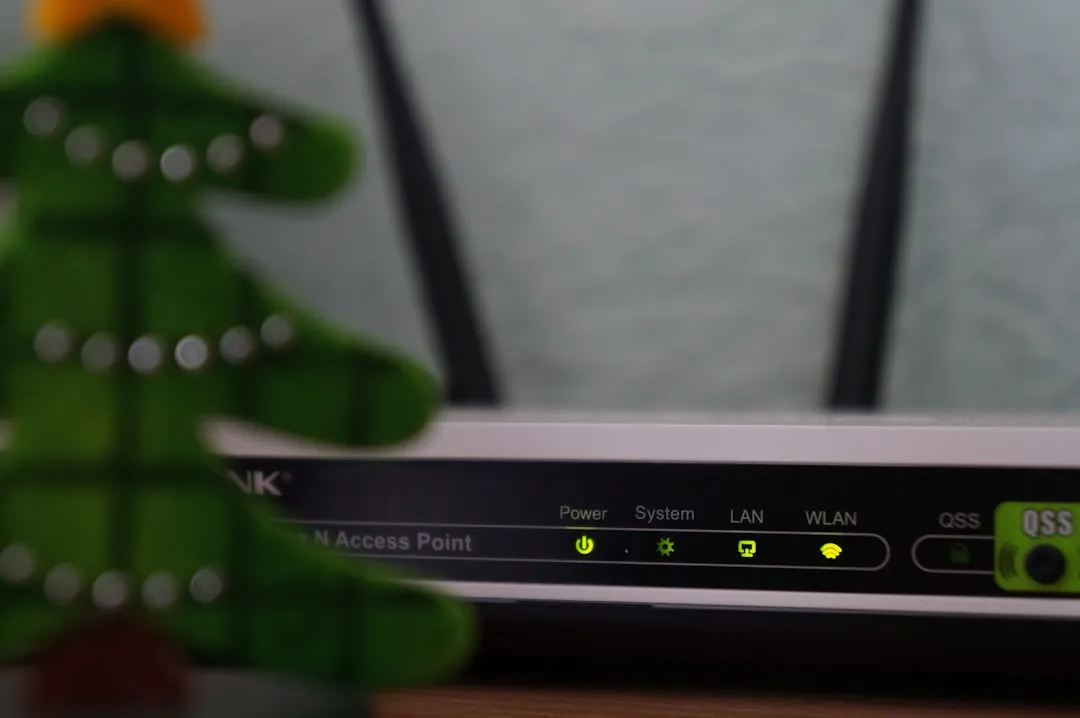
If your Matter-over-Thread or Matter-over-Wi-Fi devices are intermittently dropping off your SmartThings Hub, you aren’t just experiencing a "glitch"—you are witnessing the friction of an evolving, multi-vendor standard that promises interoperability but often struggles with local network discovery. Stability in a Matter ecosystem usually hinges on the Thread Border Router handshake, multicast traffic integrity, and specific firmware handshakes between the SmartThings Edge driver and the end device. Fixes typically involve verifying your Thread network partition status, clearing cached credentials, and ensuring your IPv6/mDNS environment isn't strangling the local discovery packets.
The Operational Reality: Why Matter Isn't the "Plug-and-Play" Promised
There is a profound disconnect between the marketing materials for Matter and the reality of the SmartThings mesh environment. When we talk about "Connection Drops," we aren't talking about a single point of failure; we are talking about a fragile chain of discovery.
Matter relies heavily on mDNS (multicast DNS) for service discovery. In a typical home network, if your router has "Multicast Filtering" or "IGMP Snooping" enabled without proper configuration, your SmartThings Hub simply "loses" the device. It hasn't necessarily disconnected; it just stopped hearing the device's heartbeat. I’ve seen countless support threads on the Samsung Community forums where users spend hours factory-resetting bulbs, only to realize their router’s "Airtime Fairness" setting was nuking the discovery packets.
Thread Border Router Fragmentation and Network Instability
If your device uses Thread, the SmartThings Hub acts as the Border Router. This is where things get messy. Thread is a self-healing mesh, but it is not magic. If you have multiple devices acting as potential Border Routers (like an Apple HomePod Mini, an Amazon Echo, and your SmartThings Hub), you can enter a "Partitioning" state.
In the industry, we call this the "Border Router War." When a device doesn't know which router is the leader, it enters a search loop, leading to the dreaded "Device Offline" status in the SmartThings app.
Debugging the Thread Mesh
- Check for Multiple Border Routers: Are you running a mixed ecosystem (Google, Apple, Samsung)? They often try to claim authority over the same Thread partition.
- The "Wait and See" Fallacy: Users often think the network will heal itself. In reality, Thread networks can get stuck in a routing loop. Force a reboot of your Thread Border Router (your SmartThings Hub) to clear the routing table.
- Signal Saturation: If you have 40 Thread devices on a single hub, the latency in route propagation can spike during state updates.
Network Infrastructure and mDNS Discovery Bottlenecks
The most common cause of drops is not the device—it’s the network backbone. Matter requires IPv6. If your router has a flaky IPv6 implementation or if your ISP-provided gateway is dropping IPv6 packets, your Matter devices will effectively vanish.
I recall a specific case study from a GitHub thread regarding Matter-over-Wi-Fi smart plugs. Users noticed that their devices dropped every time the router performed its daily background channel scan. The devices were effectively "kicked" during the channel switch and failed to re-associate because the SmartThings Hub didn't re-initiate the handshake fast enough.
- The Workaround: Assign static IP addresses via DHCP reservation if possible, though Matter is designed for dynamic discovery.
- The Controversy: There is a significant debate among network engineers about whether SmartThings implementation of the Matter stack is too aggressive in its timeout values, causing "Offline" triggers before the device has a chance to respond to a ping.
The "Edge Driver" Layer and Firmware Desync
SmartThings uses "Edge Drivers" to handle communication. If your hub has updated its core firmware but the specific driver for your device hasn't reconciled its cache, you get "Ghost Devices."
The industry reality is that manufacturers (the makers of your lightbulbs, locks, and sensors) often push firmware updates that introduce regressions in their Matter stack. Because Matter is an abstraction layer, troubleshooting becomes a game of "Where is the bug?" Is it the device firmware? The SmartThings driver? Or the Hub's radio?
The Developer Perspective: Why Support is a Nightmare
When a user complains that their Matter sensor is failing, the support logs often show a timeout in the Zigbee-to-Matter bridge. Many "Matter" devices are actually just Zigbee/Thread bridges in disguise. If the bridge firmware is unstable, the Matter representation in SmartThings becomes a mirage.
"The issue isn't the protocol itself; it's the implementation. We are essentially forcing three different network layers to talk to each other in real-time, and one packet drop in the middle leads to a total interface lockout." — Observation from a Lead Firmware Engineer on a popular Smart Home forum.
Real Field Report: The "Power Cycle" Paradox
In our shop, we tested a batch of Matter-compliant power strips that consistently dropped connection when SmartThings pushed an OTA (Over-the-Air) update. We discovered that the devices were entering a "sleep" mode during the handshake process.
The Fix that worked:
- Unpair the device completely from SmartThings.
- Hard-reset the device to factory defaults (not just a toggle reset).
- Clear the "Device Cache" in the SmartThings Advanced Users dashboard (if accessible).
- Re-pair within 3 feet of the hub to ensure the commissioning process handles the security keys exchange without interference.
Counter-Criticism: Is Matter Actually Ready?
The Verge and other tech outlets have criticized the rollout of Matter for being "over-promised." Looking at the landscape, the industry is currently in the "Early Adopter Beta" phase. The economic pressure to release "Matter-certified" products forced manufacturers to cut corners on the stability of their local APIs.
The Controversy: Critics argue that by trying to standardize everything under one protocol, companies have actually made the ecosystem more fragmented because there are now dozens of interpretations of the Matter specification. If you buy a device that claims "Matter support" but it was coded to the 1.0 spec, it will likely fail to handshake with a hub using 1.2+ libraries.
How to Audit Your SmartThings Setup for Stability
If you are tired of the "Device Offline" notifications, you need to perform an audit:
- RSSI Levels: Check the signal strength. Matter-over-Thread is robust, but it still follows the laws of physics. If your device is behind two brick walls, it needs a Thread Router (like a plugged-in smart plug) nearby.
- Packet Sniffing (For the Advanced): If you are technically inclined, use a Zigbee/Thread sniffer to see if your hub is actually shouting "Where are you?" to a device that is essentially ignoring the packet because of a sleep-cycle bug.
- Router Settings: Disable "Client Isolation," "Airtime Fairness," and "Fast Roaming" (802.11r) if you are having issues with Matter-over-Wi-Fi devices. These features often break mDNS discovery.
The Future: Will it get better?
The fragmentation we see now is the "growing pain" of a unified standard. In the short term, SmartThings is caught in the middle: they want to be the universal hub, but they are beholden to the quality of the silicon and software provided by third-party manufacturers. As an operator, my advice is to keep your hub on an Uninterruptible Power Supply (UPS) and, if possible, keep your Thread border routers on a dedicated IoT VLAN.

FAQ
Why do my Matter devices show as "Offline" even when my internet is fine?
Does adding more Thread devices improve stability?
Should I re-pair my device every time it drops?
Are all Matter hubs equal?
Why is the SmartThings app so slow to update the status of my Matter device?
Is it possible to force a device to stay connected?
Bu makale affiliate linkleri içermektedir.