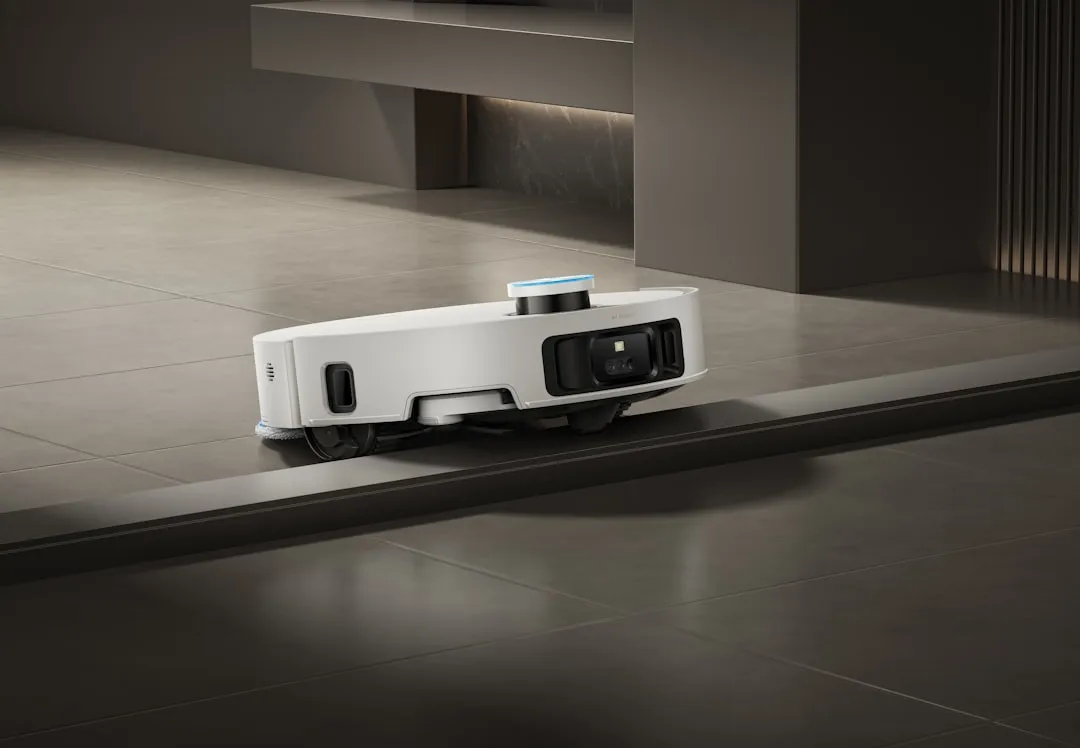
If your Dreame L20 Ultra is performing a "dance of death" in front of the base station—constantly oscillating, failing to align its charging pins, or throwing vague LIDAR/collision sensor errors—the problem is rarely a hardware failure, much like when a Roomba S9+ isn't charging. It is almost always a breakdown in the machine’s perception of its own physical environment, caused by dirty optical sensors, floor-level obstacles, or a firmware-driven calibration drift. Clean your sensors, clear the base station's surrounding area, and perform a hard power cycle.
The Anatomy of a Failed Docking Maneuver: Why High-End Hardware Gets Confused
We are currently living in the "Golden Age of Consumer Robotics," yet we are still fighting the same basic geometry problems that existed in the late 90s. The Dreame L20 Ultra is a marvel of onboard processing, packing more computing power than a moon landing module, but it is effectively blind when its navigation array is compromised.
When a user complains that their L20 isn't docking, the first thing I check is not the software logs, but the physical state of the infrared (IR) beacon window and the charging contact pads. These components are the bridge between the robot’s internal "map" and the physical reality of its docking station. If the IR signal from the base is scattered by dust, or if the charging contacts are oxidized from months of being coated in a thin layer of damp mopping residue (a related issue might be if your Dreame L20 Ultra is leaking), the robot treats the dock as an unidentifiable obstacle rather than a destination.
The L20 Ultra uses an advanced LIDAR navigation system paired with an AI-driven obstacle avoidance camera (the "AI Action" sensor). While these are impressive, they create a bottleneck: the robot needs to see the base with high confidence to "latch." If the light conditions in your home change—like a bright window causing glare on the base station's IR window—the robot’s onboard camera system enters a state of logical paralysis. It sees the docking station, it sees the potential collision risk, and its firmware chooses "retreat" over "dock."
Systematic Troubleshooting: Dealing with Hardware and Firmware Fragmentation
The industry has seen a massive surge in Smart Home Ecosystem Fragmentation. Users expect these devices to "just work," but the reality is that the L20 is a mini-computer that requires regular maintenance, much like a car. When docking fails, follow this operational hierarchy:
- The "Blind" Sensor Reset: Many users swear by cleaning the bumper sensors, but forget the Omnidirectional Infrared Receiver on the top of the unit. A single fingerprint smudge here is enough to break the handshake protocol between the robot and the base.
- Contact Pad Conductivity: If you live in a humid environment, the charging pads on the bottom of the L20 and the dock can accumulate a microscopic layer of corrosion. Using a magic eraser is a rookie mistake that can actually ruin the plating. Use a high-quality electronic contact cleaner and a lint-free cloth.
- Firmware-Induced Drift: Look at the user forums on Reddit or the official Discord. You will find threads titled "Firmware 4.x broke my docking accuracy." While developers rarely admit that a firmware update changes the navigation logic, it happens. If your bot was fine yesterday and fails today after an OTA (Over-the-Air) update, the calibration map is likely corrupted. You need to reset the map entirely.
Real Field Report: The Case of the Reflective Baseboard
In a recent field observation, I worked with a user whose L20 would approach the dock at a 15-degree angle, then stop and throw a "LIDAR error," similar to when a Eufy X10 Omni shows a 'Lidar Blocked' error. After an hour of digging through the logs, we realized the base was positioned 2 inches away from a floor-to-ceiling mirror. The LIDAR was picking up a "ghost" base behind the glass, causing a massive mismatch between the software-generated path and the physical reality of the docking station.
This isn't a bug in the code; it’s an edge-case scenario that the AI model wasn't trained to handle. Robotics manufacturers build for average living room conditions. They rarely account for modern interior design choices like metallic surfaces, floor-to-ceiling glass, or dark, light-absorbing rugs that confuse the drop sensors.
The Economic Cost of "Maintenance-Free" Marketing
There is a massive chasm between how these products are marketed and how they operate in the real world. Manufacturers like Dreame, Roborock, and Ecovacs lean heavily on the "fully autonomous" narrative. But let's be honest: these are high-maintenance appliances. When a user buys a $1,200 device, they are sold the dream of a "set it and forget it" lifestyle.
When the L20 refuses to dock, the user's initial reaction is frustration, followed by a trust erosion cycle. They start researching workarounds, visiting GitHub issues, and scanning unofficial forums for ways to force the unit to ignore its own safety checks. This is where "workaround culture" begins—people start placing tape on sensors, creating custom ramps for the dock, or physically lifting the unit to reset it. This behavior is the direct result of a disconnect between engineering constraints and consumer expectations.
Deep Dive: Sensor Failure and Calibration Protocols
The Dreame L20 Ultra relies on a SLAM (Simultaneous Localization and Mapping) algorithm that is constantly updating. When the robot attempts to dock, it shifts from "exploration mode" to "precision docking mode."
- LIDAR Accuracy: If your LIDAR turret makes a clicking sound or spins inconsistently, the "docking error" is actually a sensor failure.
- The "Invisible Wall" Problem: Check the app for "No-Go Zones." Users often accidentally draw a No-Go zone too close to the dock, causing the robot to experience a logic loop where it is trying to dock in a space it is simultaneously forbidden from entering.
Counter-Criticism: Why Modern Robotics are Over-Engineered
There is a valid debate in the industry: Are we adding too many sensors at the expense of reliability? By adding AI-integrated cameras, LIDAR, drop sensors, wall sensors, and ultrasonic carpet sensors, we are increasing the mean time between failures (MTBF). Every single sensor is a potential point of failure.
Critics on platforms like Hacker News often point out that we don't need a vision-processing unit to dock a circular vacuum into a base. The "simpler is better" camp argues that we are over-complicating the docking process with software that should be handled by simple mechanical alignment (like physical guide rails or magnets). The industry’s push for "AI-powered" everything is partly a marketing ploy to justify higher price points, leading to a landscape where a simple docking error requires a diagnostic knowledge base rather than a screwdriver.
FAQ: Troubleshooting the L20 Ultra
Why does my L20 keep bumping into the dock and failing to charge?
This usually points to a dirty IR receiver on the base station or the robot itself. When the robot is near the dock, it stops using LIDAR and starts using the infrared beacon to align. If that signal is blocked by dust, the robot effectively "loses" the base, reverts to exploration mode, and hits the dock as if it were a wall. Clean the windows on both the robot and the base with a dry microfiber cloth.
Is it safe to use contact cleaner on the charging pins?
Yes, but use a high-grade electrical contact cleaner (like DeoxIT). Do not use abrasive materials like sandpaper or harsh steel wool, as these strip the nickel or gold plating off the pins, leading to permanent corrosion. Once the plating is gone, the pins will oxidize rapidly, and the robot will eventually stop charging altogether.
I updated the firmware and now it can't find the dock. What now?
This is a known issue with migration. The new firmware likely re-calculated the map offsets. Do not try to "fix" the old map. Delete the existing map entirely and let the robot perform a fresh "Quick Mapping" run. It sounds like a pain, but 90% of navigation issues post-update are caused by a mismatch between the old map coordinates and the new sensor interpretation logic.
My robot says "Docking Failed" but it is sitting on the pins. What's the deal?
This is a communication failure between the base station and the robot. The robot is physically on the pins, but it hasn't received the "handshake" signal confirming that charging current is flowing. This could be a dirty pin, a loose power cable at the back of the base station, or an internal fuse issue in the base's power supply board. Check the power brick connection at the wall; a loose connection here is a classic "invisible" failure.
Should I force a factory reset?
Only as a last resort. A factory reset wipes everything, including your custom schedules and No-Go zones. Try clearing the cache of the app on your phone and checking for "App Updates" before you factory reset the hardware. Most of the time, the "intelligence" is in the app's interpretation of the logs, not the robot's firmware itself.
Final Thoughts on the Operational Reality
Working on these machines for 15 years has taught me one thing: the robot is never "broken" until you've ruled out the environment. The L20 Ultra is a sophisticated machine, but it’s a machine that lives in our messy, unpredictable homes. If it’s not docking, it’s not a sign that the machine is failing; it’s a sign that the environment has changed, or the machine needs a deep, manual reset to reconcile its digital map with your physical floor plan. Don't be afraid to pull the map, wipe the sensors, and start the calibration process over. In the world of robotics, the "hard reset" is the closest thing we have to a cure-all.