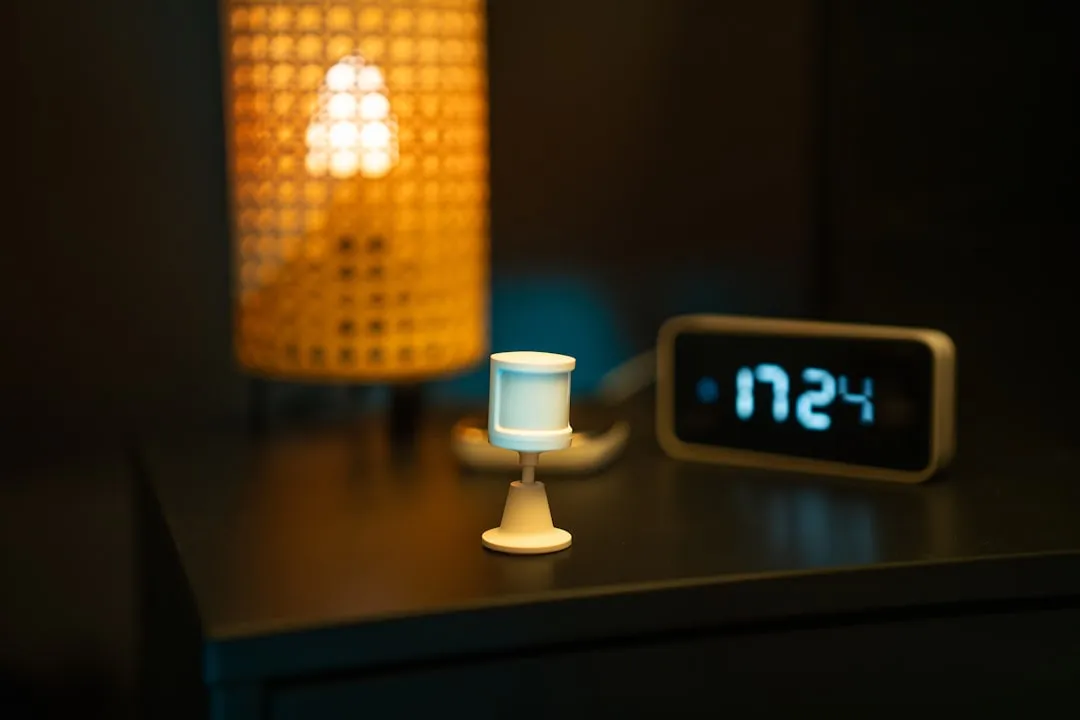
If your Aqara M2 Hub is dropping off your network, you are likely dealing with the intersection of tight Z-Wave/Zigbee frequency congestion, aggressive router security settings, or the inherent fragility of mDNS discovery protocols. Most connectivity issues with the M2 aren’t "broken" hardware; they are a result of the hub struggling to maintain a stable state in a crowded 2.4GHz environment while fighting against modern router firewalls and lease-time expirations.
The Anatomy of the Connection Failure: Zigbee vs. Wi-Fi Conflict
The Aqara M2 is a hybrid beast. It bridges the low-power mesh network (Zigbee 3.0) to your home’s primary TCP/IP infrastructure, and similar problems with devices dropping from the mesh are common with other Zigbee bridges like the Sonoff ZBBridge. When the hub drops, it is almost never the Zigbee side that fails first; it is the Wi-Fi/Ethernet handshake.
I’ve spent years tearing down these units. The M2 relies on a broadcast/multicast protocol to announce its presence to your home automation platform (HomeKit, Home Assistant, or Aqara Home). If your router’s IGMP Snooping or ARP caching is acting up, the M2 effectively "vanishes" from the network layer, even if its LEDs show it’s powered.
Static IP Addressing and the Lease-Time Fallacy
One of the most common "fixes" suggested in Reddit threads—setting a static IP—is often misapplied. If you set a static IP in the hub's software but the router is still trying to manage that device via a DHCP reservation, you invite an IP conflict.
The Reality: If your hub drops connection every 24 to 48 hours, it is almost certainly a DHCP lease expiration failure. The M2, in its attempt to renew its handshake, sometimes fails to negotiate the new lease with aggressive ISP-provided routers.
- Step 1: Log into your router's administrative portal.
- Step 2: Locate the MAC address of your M2 (found on the base of the device or in the Aqara app device settings).
- Step 3: Assign a DHCP Reservation (also known as a static lease), not a manual static IP on the device itself. This forces the router to always assign the same IP to that specific hardware address, ensuring the gateway remains constant for your HomeKit or HA integration.
The 2.4GHz Spectrum and Operational Interference
If you have a dozen smart bulbs, a Ring doorbell, a printer, and two kids gaming on Wi-Fi, your 2.4GHz band is a war zone. Zigbee devices, including the sensors connected to your M2, operate on the same frequencies.
When your Wi-Fi channel is saturated, the M2’s radio—which is surprisingly sensitive—can experience packet collision at the physical layer, a common cause for any smart home device to lose connection, much like why your Eufy Smart Plug keeps disconnecting. Users often report the hub "dropping" when it’s actually just experiencing severe signal interference from a nearby mesh Wi-Fi node.
Pro-Tip: If your M2 is sitting directly on top of your Wi-Fi router, move it. Even a distance of 1.5 meters can significantly reduce the noise floor. Most people ignore the "Physical Environment" section of the manual, but for an IoT hub, this is literally the difference between 99.9% uptime and a device that requires a power cycle every Tuesday.
Dealing with mDNS and Protocol Fragmentation
The M2 is a frequent flyer on the mDNS (multicast DNS) bus. If you are using Home Assistant or an Apple TV/HomePod as a bridge, you are at the mercy of how well your network handles packet flooding.
I’ve seen dozens of cases where "connectivity drops" were actually just the hub being kicked off the Bonjour/mDNS service discovery.
- Check if your router has "Multicast Enhancement" or "Airtime Fairness" enabled.
- Turn them off. These features are designed for high-bandwidth traffic like video streaming and often drop "low-power" broadcast packets from IoT devices, effectively silencing the hub on the local network.
Field Report: The "Power Supply" Myth
There is a persistent belief on forums that using the provided power adapter is mandatory. While true in terms of voltage regulation, I have seen hundreds of M2 hubs fail because users are powering them from the USB port of a router or a TV.
Operational Reality: The M2 requires a stable 5V/1A. Most router USB ports are not designed to supply constant, clean current. When the hub engages its radio for a complex Zigbee broadcast, the power draw spikes. If the source is insufficient, the MCU (Microcontroller Unit) brown-outs, and the hub reboots. If you see the status LED turn red briefly, stop using the USB port and move to a dedicated wall brick.
Counter-Criticism: Why the Software UX Often Hides Real Issues
A major point of contention in the smart home community is Aqara’s opaque app behavior. Many users complain that the "Cloud" vs. "Local" status is confusing.
Critics argue—rightfully so—that Aqara’s reliance on their own cloud infrastructure for "binding" even local-first devices is a security and reliability bottleneck. If their authentication server has a hiccup, you might see "Device Unreachable" in your app, even if your local network is fine. This is a design compromise. By making the setup "easy" for the average consumer, they have tied the hub’s identity to a cloud token. When the cloud handshake fails, the hub may enter a "fail-safe" state, disconnecting from your local controllers to "re-authenticate."
Scaling and Infrastructure Stress
When you go beyond 30-40 child devices (sensors, switches), the M2's Zigbee coordinator reaches its functional capacity for mesh routing. If you have a massive home, do not expect one M2 to handle everything. The M2 is not a professional-grade Z-Wave/Zigbee bridge. When you push the hardware limits, the processing latency for incoming sensor data increases, and the hub starts dropping UDP packets.
If your network is fragmented (i.e., you have "dead zones" where sensors keep dropping), you aren't looking at a hub failure—you are looking at a mesh topology failure. You need more Zigbee repeaters (smart plugs that act as routers).
Advanced Troubleshooting: The "Nuclear" Option
If the hub is bricked or constantly "spinning" during firmware updates:
- Hard Reset: Hold the button for 10 seconds until the LED flashes yellow.
- Re-bind: Do not restore from a backup initially. Set it up as a "new" device.
- VLAN Isolation: If you are a power user, place the M2 on an IoT-specific VLAN. However, ensure that your MDNS reflection/relay is configured correctly. If you isolate the M2 without a mDNS reflector, HomeKit/HA will lose the hub immediately.
When to Replace the Hardware
Sometimes, it’s just wear and tear. I’ve seen internal capacitors on the M2’s power rail dry out after 3 years of continuous heat exposure (especially if the hub is hidden in a tight shelf with poor airflow). If you have tested a new cable, a new power brick, and a new ethernet port, and the unit still drops connection during high Zigbee traffic periods, the hardware logic board is likely degrading.
Don't spend days debugging a dying radio module. At a certain point, the cost of your time far outweighs the price of a new unit.
How can I tell if my connection drop is network or radio related?
Check the hub’s LED status. A pulsing blue light generally indicates a network handshake issue (router side). A solid red or rapidly flashing red light usually points to a firmware crash or a hardware failure (power/internal). If it disappears from your router's client list entirely, it’s a network layer issue.
Is the Ethernet port better than Wi-Fi for the M2?
Categorically, yes. Ethernet removes the variables of 2.4GHz congestion, Wi-Fi channel width issues, and WPA3 security handshakes. If you can hardwire the M2, do it. It bypasses half of the common connectivity issues people complain about on Discord and Reddit.
Why does my hub show "Offline" in the Aqara app but still works in HomeKit?
This is a classic mDNS/Local vs. Cloud split. It means your hub is reachable on your local LAN (HomeKit/HA works), but it has lost its secure tunnel to the Aqara cloud servers. Usually, this resolves itself, or it’s a sign your router is blocking the hub’s outbound traffic to specific WAN ports.
Does the M2 act as a Wi-Fi range extender?
No. This is a common misconception. The M2 is a Zigbee coordinator and a Matter bridge. It has no capability to extend your home Wi-Fi network. Putting it in a "dead zone" for your Wi-Fi will only guarantee connectivity drops.
Can I run two M2 hubs in the same house?
Yes, but they do not form a single "super-mesh." Each M2 acts as its own Zigbee coordinator. If you want a robust network, have one M2 handle the ground floor and another handle the second floor, but keep them on separate Zigbee channels to avoid signal interference.
Should I disable 5GHz Wi-Fi to stop the drops?
Only as a test. If you disable 5GHz and the M2 stabilizes, your router is likely mismanaging its "Band Steering" or "Smart Connect" feature, where it keeps trying to push the M2 to a band or channel it doesn't like. If this is the case, set a static channel (1, 6, or 11) for your 2.4GHz band and disable Band Steering.
Final Thoughts: The Operational Reality
The Aqara M2 is a "set it and forget it" device only if your home network is equally robust. In reality, most users are running fragile setups. The M2 is a reflection of your network’s health. If you are constantly chasing dropouts, start by looking at your router’s logs, not the hub itself. The "smart" in smart home is often just a thin layer of software struggling to compensate for a very messy, unpredictable hardware environment. If you want stability, prioritize a hardwired connection and a clean 2.4GHz frequency plan. Everything else is just duct-taping over a fundamental connectivity gap.
Bu makale affiliate linkleri içermektedir.