
The "Lidar Blocked" error on a Eufy X10 Omni isn't just a notification; it’s a failure of communication between the robot’s perception layer and its physical chassis. Most users think it’s just dust. Often, it’s a sign of a mechanical alignment drift, a failing motor driver, or an over-sensitive proprietary sensor suite that hates specific household environments. If your X10 has stopped dead in its tracks, you aren't just dealing with debris; you're dealing with the precarious reality of modern consumer robotics.
Understanding the LDS (Laser Distance Sensor) Architecture
The Eufy X10 Omni, like most flagship LiDAR-based units, relies on a spinning LDS module. This component consists of a laser emitter, a receiver, and a brushless motor housed under a plastic turret. The "Lidar Blocked" error usually triggers when the internal microcontroller detects an abnormal current draw on the motor or a lack of return signal from the sensor, much like how a Dreame L20 Ultra might show Error 14 due to brush obstructions and sensor issues.
Think of the LiDAR turret as the robot’s primary eyes. When the sensor reports a blockage, it could be:
- Physical Obstruction: The most common culprit. Hair, carpet fiber, or a stray string is wrapped around the spindle.
- Firmware Over-correction: The X10’s navigation algorithms expect a specific rotational speed. If the turret hits a threshold resistance, it kills the motor to prevent a burnout—a safety feature that, ironically, becomes the most frequent point of failure.
- Internal Component Fatigue: After a few hundred cycles, the lubricant in the turret bearing starts to degrade. The friction increases, the current draw spikes, and the firmware triggers a "blocked" error even if there isn't a single grain of dust visible.

The Reality of "Clean" Environments
We like to pretend our homes are sanitized, controlled labs. They aren't. In the real world—the world of real field reports—we see homeowners struggling with "Lidar Blocked" errors caused by things that shouldn't even be airborne. I’ve opened up units that had pet dander fused to the optical lens by the heat of the laser. I’ve seen homes with high static electricity where the LiDAR plastic dome attracts dust like a magnet, creating a refractive index issue that confuses the sensor into thinking it’s pressed against a wall.
Initial Triage: Step-by-Step Mechanical Verification
Before you start looking for software patches or contacting support, you need to verify the hardware state. Stop relying on the app’s diagnosis; the app is just reporting the symptom, not the root cause.
- The Spin Test: With the robot powered off, gently press and rotate the LiDAR turret with your finger. It should spin freely with minimal resistance. If you feel "notches" or hear a faint grinding sound, you have a bearing failure or debris trapped in the race.
- Compressed Air Treatment: Don't use a leaf blower. Use a small, handheld canister of compressed air. Aim it at the gap between the rotating turret and the static base. Give it short, controlled bursts while rotating the turret manually.
- The Sensor Window Check: Use a high-quality microfiber cloth and a tiny drop of lens cleaner. Even a smudge of oil from a fingerprint can refract the laser, causing a "blocked" status because the signal-to-noise ratio is too low for the firmware to resolve depth.
Field Report: The "Dark Room" Paradox
A recurring issue in various Discord and Reddit communities for Eufy users involves the "Lidar Blocked" error occurring exclusively in dark rooms. This is a classic example of an edge-case failure. The LiDAR laser is designed to operate within a specific frequency. In near-total darkness, the robot may attempt to boost the power to the LDS module. If the internal voltage regulator has any minor impedance, the current spike triggers the "Blocked" safety protocol. It’s not actually blocked; it’s just failing to reconcile its own sensor output with the environmental lighting.
When the Firmware Fails the Hardware
We have to talk about the "Over-the-Air (OTA) Update" trap, a common issue that can also contribute to why Matter smart home devices keep disconnecting from SmartThings. I’ve seen countless cases where a firmware update effectively changed the sensitivity parameters of the obstacle avoidance and navigation sensors. If your X10 was working perfectly for six months and then suddenly started throwing "Lidar Blocked" errors right after an app update, you are likely a victim of feature-creep regression.
The software engineers want the robot to be more precise, so they tighten the tolerances for the LiDAR sensor. But they don't account for the fact that the hardware inside your house has been aging for six months. The hardware is now "looser," but the software is "stricter." The result? A perfectly functional machine that is being throttled by its own code.
The "Workaround" Culture: Is It Ethical?
When a robot vacuum breaks, the warranty process is a slow, agonizing death. It involves mailing the unit back, waiting for weeks, and often getting a refurbished unit that has its own set of hidden issues. This has birthed a massive "workaround" culture. Users are now taking to forums like GitHub and enthusiast subreddits to share ways to force-downgrade firmware or bypass sensor checks.
While I understand the frustration, be warned: Bypassing sensor checks is a risk. If you trick your X10 into ignoring a "Lidar Blocked" error, it might lose its ability to detect stairs or glass doors. You aren't just losing navigation; you're losing the physical integrity of the machine.
Advanced Troubleshooting: The "Deep Clean"
If the basic steps failed, you are moving into territory that voids your warranty. Only proceed if you are comfortable with micro-electronics.
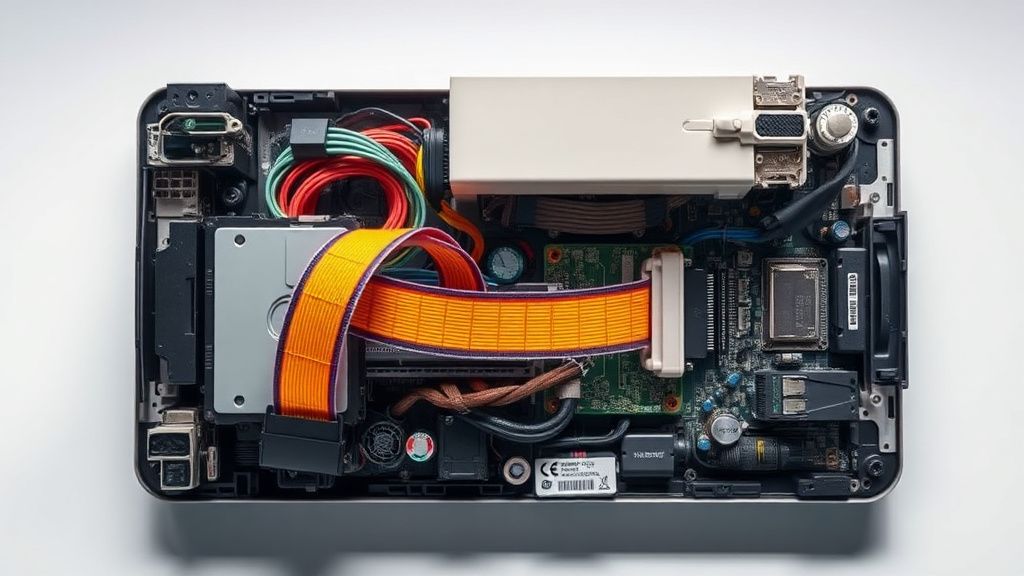
- Disassembly: You need a set of precision Torx and Phillips screwdrivers. The X10’s top cover is held by a series of plastic clips that are notoriously brittle. Once inside, the LiDAR module is usually connected via a ribbon cable.
- The Ribbon Cable Factor: Often, the "Lidar Blocked" error isn't the motor—it's the ribbon cable that connects the turret to the mainboard. Because the turret rotates constantly, the cable is subject to fatigue. Over time, the copper traces develop micro-fractures. It might work when the turret is at 0 degrees, but fail at 180 degrees.
- Lubrication: If the turret motor is sound but struggles, a tiny, microscopic amount of synthetic, non-conductive lubricant on the main spindle can work wonders. Do not use WD-40. It is a solvent, not a long-term lubricant. It will destroy the plastic components.
Industry Controversies and Consumer Trust
There is a massive divide between the promise of "Smart Home Automation" and the reality of "Maintenance Burden." Brands like Eufy market these devices as "set and forget," but the "Lidar Blocked" error proves this is a lie. The industry is currently under fire for planned obsolescence. By making these parts difficult to access and failing to provide long-term support for individual modules, companies are effectively forcing an "upgrade cycle" on users for what is essentially a $10 motor and a $2 ribbon cable.
Why does my Eufy X10 give a "Lidar Blocked" error even when there is no debris on it?
This is usually a software-to-hardware calibration mismatch. The sensor is detecting a resistance level—either electrical or physical—that exceeds the pre-set threshold in the firmware. It is rarely a "blockage" in the traditional sense; it is often a failing motor driver or a calibration drift.
Should I try to open the LiDAR dome myself?
Only if your warranty has expired. Opening the unit usually breaks the tamper-evident seals. If you do open it, be extremely careful with the plastic clips; they are designed to be closed once, not repaired.
Can a firmware update really cause this error?
Yes. Software engineers often refine the "Current Draw" parameters for the LiDAR motor in updates to prevent hardware strain. If your motor has naturally aged and consumes slightly more power, the new, stricter firmware will interpret this as a blockage and shut the motor down to "protect" it, causing the error.
Is the "Lidar Blocked" error always a sign of a dead motor?
No. It is frequently a sign of a compromised ribbon cable or a dirty optical sensor. Always test the optical cleanliness and the cable continuity before assuming the motor has failed.
Why doesn't the app tell me exactly what part of the LiDAR is failing?
Because these systems are designed for mass-market consumption, not technical diagnostics. The error codes are intentionally simplified to avoid "information overload" for the average consumer, but this leaves power users and repair technicians in the dark.
Final Thoughts on Longevity
If you own an X10, treat the LiDAR dome with the respect of a camera lens. Keep it clear of dust, don't let the unit run in high-humidity areas (which accelerates internal oxidation), and accept that like any high-speed mechanical component, the LDS motor is a wear-and-tear part. We are currently in an era where we expect our appliances to be as reliable as a mechanical hammer but as complex as a smartphone. That intersection is where the frustration lies. When your X10 screams "Lidar Blocked," it’s not just a vacuum asking for help; it’s a collision between 21st-century software and the dirty, unpredictable reality of your living room floor.