If you’re staring at a blinking red light on your Roomba j7+ and the app is screaming "Error 15," don't reach for the trash can yet. Error 15 is effectively the firmware’s way of saying it has lost its mind—specifically, its internal navigation and cliff sensor map have drifted out of sync. It isn’t always a hardware death sentence; it’s usually a calibration or communication failure that can be resolved with a hard reset or deep sensor cleaning.
The Anatomy of Error 15: Why Your Robot Lost Its Way
In the world of household robotics, the Roomba j7+ is marketed as a precision machine, relying on an array of cliff sensors, an optical floor-tracking sensor, and the PrecisionVision camera. Error 15 occurs when the main control board (MCU) fails to receive a coherent heartbeat signal from the sensor array, or when the sensor data contradicts the SLAM (Simultaneous Localization and Mapping) map.
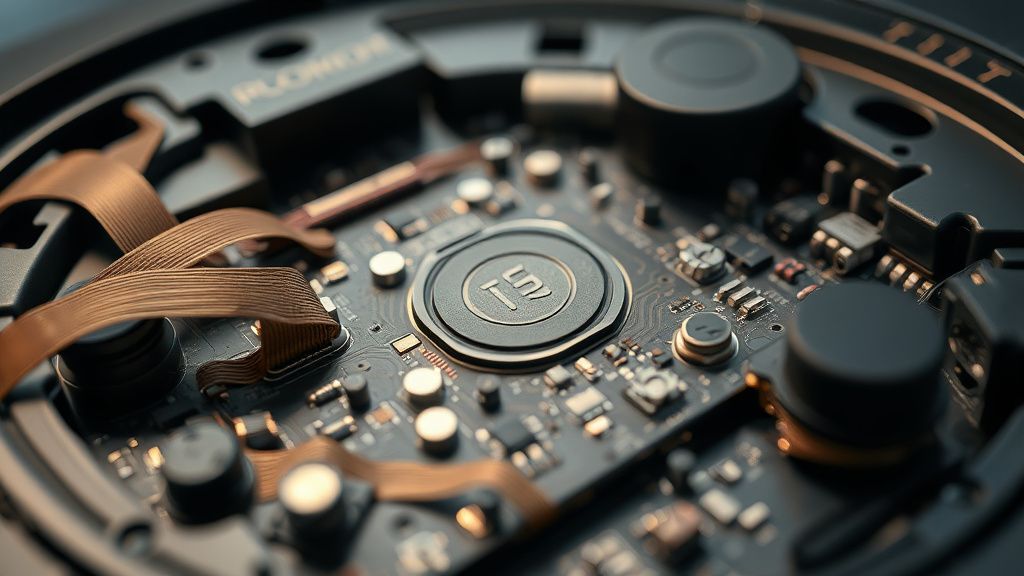
I’ve spent the better part of a decade tearing these chassis apart. What the consumer sees as a "software glitch" is often a cascade failure starting with a microscopic layer of dust on the cliff sensor emitter, or a loose ribbon cable connection behind the bumper. When the internal housekeeping task fails to correlate the camera’s visual data with the infrared cliff sensor input, the robot initiates a safety shutdown to prevent itself from plummeting down your stairs. It is a "fail-safe" state, designed by engineers who know that a robot falling down a staircase is a bigger PR disaster than a robot that refuses to move.
Step-by-Step Sensor Calibration and Hardware Reset
You don’t need an engineering degree to fix this, but you do need patience. Forget the "reboot via app" trick; when the firmware is in a state of Error 15, the app is often a lying middleman. You need to talk to the robot directly.
1. The Cold Hard Reset: Lift the robot off the Clean Base. Hold the main "Clean" button down for 20-30 seconds. You are looking for the light ring to turn white and begin a spinning swirl animation. This forces the internal Linux-based OS to dump its temporary memory and re-initialize the sensor drivers.
2. The Optical Sensor Purge: Most users ignore the optical sensor located on the underside of the unit. If this sensor is obscured by a fine film of dust, the robot effectively goes blind. Use a microfiber cloth—no water, no cleaning agents—to wipe the sensor window. Even a light smudge here results in the "positioning error" that triggers the 15 code.
3. Cliff Sensor Stress Test: If the error persists, one of the four cliff sensors in the bumper housing is likely misfiring. Use a flashlight to look through the clear plastic windows under the bumper. If you see trapped cat hair or carpet fibers, you’ve found the culprit. Use compressed air (canned air, not a high-pressure shop compressor) to clear the housing.
Real Field Reports: The "Ghost in the Machine"
In the r/roomba community and various developer forums, Error 15 has become a recurring nightmare for owners of older j7 units. One notable case involved a user whose robot consistently threw an Error 15 every time it crossed a specific transition strip between hardwood and a high-pile rug. After weeks of back-and-forth with official support, it was discovered that the transition strip was causing a slight "chassis torque," which slightly misaligned the optical sensor’s focus point, triggering the safety lockout.
This highlights a fundamental flaw in the j7+ design: the tolerances for the sensor array are incredibly tight, yet the machine is subjected to the chaotic, uneven environment of a real home. It’s a design compromise; they built a precision laboratory instrument and told it to live in a house full of dog hair and spilled cereal.
The Economic Reality of Repairability
The irony of the j7+ is that while the hardware is modular, the software is "walled-garden." When you experience an Error 15 that persists despite physical cleaning, you are often at the mercy of the company’s internal policy. If they determine the internal sensor ribbon cable has frayed—a known issue with some early batch units—they won't sell you the cable. They want you to send the unit in for a "flat-rate repair," which is effectively a refurbishing cycle that costs nearly half the price of a new unit.
This has birthed a massive "workaround culture." You’ll find thousands of users on GitHub and iFixit threads attempting to bypass these errors using custom firmware or third-party diagnostic software. While I caution against unauthorized firmware flashes (you risk bricking the camera module), the sheer volume of these threads proves that the consumer demand for the right to repair is clashing violently with the company’s desire for a closed, controlled ecosystem.
Counter-Criticism: Is the j7+ Too Fragile for Modern Homes?
There is an ongoing debate among robotics technicians: Is the j7+ over-engineered? The inclusion of the PrecisionVision navigation allows for sophisticated object avoidance, but it also increases the number of points of failure. Every camera sensor, every cliff-detecting IR emitter, and every wheel encoder is another point where an Error 15 can be triggered.
Critics argue that by making these units "smarter," the manufacturers have made them less reliable. Contrast this with the older, "dumb" vacuum units that would bounce off walls for ten years without a single sensor error. The j7+ is arguably the pinnacle of current home robotics, but it lives on a razor's edge of sensor calibration. When the environment changes—or when the hardware components inevitably degrade—the system loses its stability.
Troubleshooting the "Persistent 15"
If you have cleaned the sensors, performed the reset, and are still seeing the error, you are dealing with a hardware component failure.
- Check the Front Bumper: The bumper acts as a physical switch. If it is stuck slightly inward due to a collision, the robot thinks it is perpetually hitting an object, which can sometimes manifest as a navigation Error 15. Push on all sides of the bumper to ensure it is "springy" and returns to the neutral position.
- The Battery Factor: Believe it or not, a degrading battery can cause voltage drops that starve the sensor array. If your j7+ is over two years old and shows Error 15 during the middle of a cleaning cycle, it is almost certainly a battery power delivery issue.
The Infrastructure Stress of AI Navigation
What we don't see is the server-side logic. The j7+ isn't just navigating via local sensors; it sends data back to the cloud to refine its mapping algorithms. When you see an Error 15, there is a small chance—though manufacturers will deny it—that the server is rejecting the map data the robot is sending. If your map is corrupted, the robot cannot "localize" itself, and the system defaults to the safe state of Error 15. Always try to delete your current map and start a new training run if the sensors are physically clean.
Why does my Roomba j7+ give an Error 15 immediately after I start it?
This usually points to a "Dead on Arrival" sensor state. If the robot detects that its primary cliff sensors are obstructed or malfunctioning the second it leaves the base, it triggers the safety stop. This is often caused by a dirty sensor window or an internal cable that has slipped from its header due to vibration.
Does the Error 15 mean my motherboard is fried?
Rarely. Error 15 is almost exclusively related to sensor calibration or communication. A fried motherboard would typically result in a complete lack of power (no lights) or a "Communication Error" (often Error 1). Don't panic; it’s likely a sensor connection issue, not a catastrophic chip failure.
Should I try to open the robot to fix the sensors myself?
If your unit is under warranty, absolutely not. The casing is held together by specialized clips that are designed to be "tamper-evident." However, if your warranty is expired and the official support path is a dead end, there are excellent community-driven guides on platforms like iFixit that can show you how to access the sensor ribbon cables. Just know that once you break the seal, you are on your own.
How do I know if it’s a software bug or a real physical problem?
Try this: Wipe all sensors, reset the robot, and place it in the middle of a completely open room with no obstacles. If it runs for 10 minutes without an error, the problem is likely your environment (clutter, reflective surfaces, or tricky floor transitions). If it immediately throws Error 15 in an empty, well-lit room, you have a failing hardware component.
Can I bypass the Error 15 and use it like a "dumb" robot?
As of current firmware versions, there is no "safe mode" that disables navigation sensors to allow for dumb operation. The system architecture is built around the assumption that the sensors must work for the machine to be safe. Until a jailbreak or custom open-source firmware becomes widely available for the j7+ platform, you are bound by the manufacturer's diagnostic protocols.

The takeaway for the owner? Don't treat the Roomba j7+ like an appliance; treat it like a computer that happens to have wheels. It requires regular maintenance, it is prone to "system crashes" caused by environmental debris, and it requires a human in the loop to interpret its cryptic error codes. The Error 15 is just a reminder that even the "smartest" home robot is still a collection of parts trying to survive in a messy world.